The Ultimate Guide to SEO Content Optimization Tools in 2026
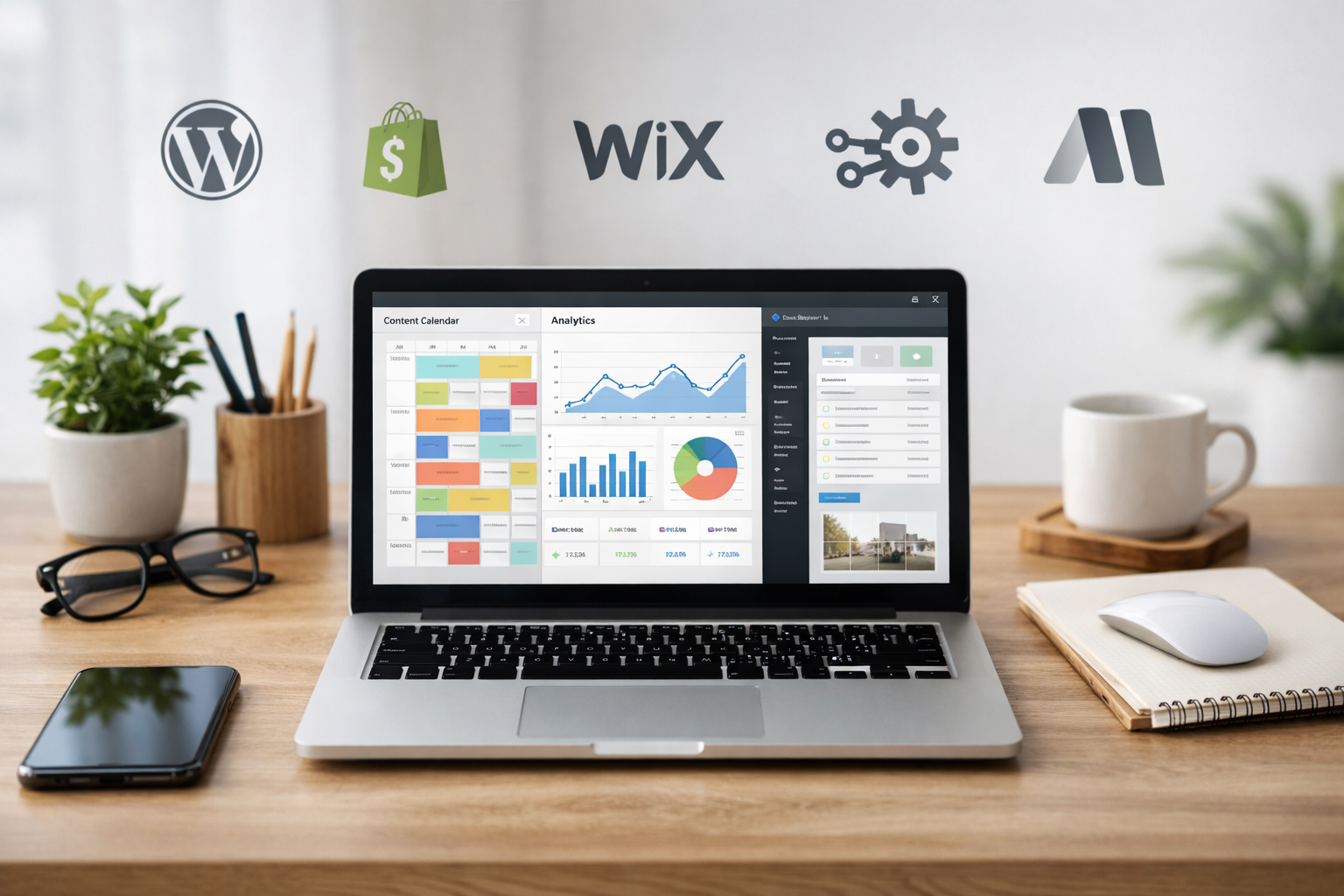
The fastest path to value with seo content optimization tools is to anchor them to clear goals, map features to your workflow, and measure outcomes in search, not just scores. This guide explains what they do, when to use them, compares approaches, and gives you a one‑week plan to launch on WordPress, Shopify or Wix with minimal busywork.
Why This Guide Matters Right Now
Search is more competitive, but not because algorithms have turned mystical; it’s because more teams can produce decent content at speed. That levels the playing field for basics and raises the bar for outcomes. If you’re a business owner or an agency lead, the question is no longer “Can we publish?” but “Can we prioritise, produce and ship the right articles every week without babysitting writers or spreadsheets?”
Used well, seo content optimization tools help you answer that question with structure: finding gaps, suggesting outlines, and checking coverage before you press publish. Used badly, they encourage checkbox thinking and keyword stuffing. This guide focuses on the practical middle ground—how to choose a setup that respects your brand voice, streamlines your process, and moves the needle rather than inflating vanity metrics.
We’ll keep the advice rooted in reality: mapping tools to jobs-to-be-done, avoiding lock‑in where it hurts, and building a workflow that scales from a single site to a portfolio. When you’re ready to act, you can ship the plan in a week, then refine based on indexed pages and queries that actually drive leads or sales.
What Are SEO Content Optimisation Tools and How Do They Work?
In plain terms, these platforms analyse what’s ranking for a topic, extract patterns (terms, structure, intent), and guide you to create a page that better matches searcher needs. Under the hood, they combine keyword data, competitor page analysis, and language models to score coverage and prompt improvements. The point isn’t to chase a perfect score; it’s to produce more complete, findable and useful pages in less time.
There are broad categories. Assistive editors plug into your writing process and offer suggestions for topics, headings and related terms. Suites bundle research, auditing and performance data. Automated systems go further, orchestrating keyword discovery, drafting and even scheduling to CMS. Each category has trade‑offs in control, speed and maintenance. For many teams, the right answer blends research, on‑page guidance and publishing automation.
If you want a grounding before you choose, our practical FAQ for busy teams on content optimisation tools walks through the everyday questions people ask—scores, briefs, collaboration and more. It pairs well with this guide’s deeper dives into workflow and comparison.

Good tools keep you aligned with quality guidance like the Google Search Essentials on creating helpful content and the UK Government’s Content Design guidelines. They nudge toward clarity, intent match and coverage—not tricks. Think of them as decision support for editors, not autopilots you switch on and forget.
Should You Optimise Manually or Use Software?
If you publish four posts a year, a spreadsheet, some competitor reading and a strong editor might be enough. But most businesses need a repeatable cadence, not heroic efforts. Software reduces context switching (keyword tools, doc comments, CMS paste‑overs) and exposes gaps you’d miss by hand—particularly when you’re juggling multiple categories, products or clients.
Manual approaches shine for nuanced topics, sensitive subjects or when brand storytelling leads. You’ll spend more time researching and outlining, but you’ll control the narrative tightly. Software excels at surfacing breadth—related questions, subtopics, internal link opportunities—and keeping formatting consistent. The best setups combine both: human judgment for strategy and tone, automation for grunt work and guardrails.
Ask three questions to decide the mix. First, what’s the volume? If you aim to publish weekly or across multiple sites, you’ll need automation. Second, where are your bottlenecks? If briefs and scheduling slow you down, pick tools that auto‑generate outlines and publish hands‑off. Third, who’s on the team? If collaborators vary in SEO depth, choose a system that bakes best practice into the editor.

For a myth‑busting foundation, read our piece on keyword research myths and facts that actually move the needle. It explains where human judgment matters most and where tools can safely take on the heavy lifting.
How Do seo content optimization tools Compare in 2026?
Instead of pitting brand against brand, it’s more useful to compare approaches. What you need on a ten‑page brochure site differs from a 3,000‑SKU catalogue or a portfolio of client sites. Below is a side‑by‑side view to match capabilities to jobs-to-be-done. Keep an eye on integrations and publishing flow—two areas that make or break time savings at scale.
| Approach (Examples) | What It Does | Strengths | Trade‐offs | Integrations | Best For |
|---|---|---|---|---|---|
| Automated end‐to‐end platform (e.g., Epicurus One) | Discovers keywords, drafts on‐brand articles, schedules and publishes on a cadence | Hands‐off publishing, consistent cadence, team controls, multi‐site from one account | Less granular in‐doc tinkering; trust the workflow and review process | Direct to WordPress, Shopify, Wix; Make/Zapier for custom | Busy owners, agencies, multi‐site operators |
| Content scoring assistants | Suggests topics, headings and related terms while you write | Great for polishing drafts; supports writers in real time | Research and publishing still manual; risk of over‐fitting to scores | Browser/editor plugins; basic CMS extensions | In‐house writers, boutique agencies |
| All‐in‐one SEO suites | Keyword research, site audits, rank tracking, content briefs | Broad visibility across technical and content | Complex to learn; publishing and brand voice not automated | APIs; some CMS connectors; data exports | SEO teams needing cross‐discipline tooling |
| Open‐source / free basics | Manual research, checklists, on‐page validators | Low cost; flexible; good for learning and experiments | Time‐intensive; no scheduling or automation | DIY scripts; basic browser tools | Very small sites; early testing |
Automated platforms shine when your hurdle is throughput: ideas in, reviewed articles out, on schedule. If your main need is craft polish inside a Google Doc, a scoring assistant may suffice. Suites give you breadth but expect time to configure—great if you have a dedicated SEO specialist. Free tools keep costs down but demand more manual switching.
Whichever route you choose, judge seo content optimization tools by outcomes: the time from keyword to live URL, consistency of publishing, and how quickly you can spot what to double down on. Don’t conflate a high content score with a high‑performing page; measure rankings, clicks and conversions over time instead.

What Features Actually Improve Rankings and Revenue?
Features matter when they reduce friction or increase relevance. Start with research that reveals intent clusters, not just volume. Then look for briefing tools that turn those clusters into outlines with headings, questions and internal link prompts. In the editor, guardrails should encourage clarity, concision, and coverage of user tasks rather than keyword density games.
Publishing is underrated. Drafts that languish in Docs don’t rank. Prioritise scheduling to CMS, image handling, meta generation, and internal link insertion. Integrations with WordPress, Shopify and Wix are essential if that’s where you live. Finally, reporting should focus on leading indicators: indexation, query coverage and impressions before you chase positions or CTR tweaks.
A simple filter for choosing features: would they help a new joiner do the right thing on day one? If not, they’re likely nice‑to‑have. For a more systematic review, use our Beginner‑to‑Expert checklist for choosing a tool, which breaks down capability by stage and team maturity. And yes, if you care about day‑one leverage, seo content optimization tools that connect directly to your CMS will outperform those that stop at a downloadable brief.
A One‑Week Workflow to Launch and Scale
Here’s a pragmatic plan you can execute in five working days. It assumes you want to establish a weekly cadence and remove repeatable friction. Adjust volumes to your resources, but keep the structure—you’ll avoid bottlenecks that cause missed publishes.
Day 1: Define goals and inputs. List three business outcomes (e.g., demo requests, category page visits, newsletter sign‑ups). Identify 3–5 topical areas aligned to those outcomes. Decide your publishing frequency. Connect your CMS and automation stack (WordPress/Shopify/Wix; Make or Zapier if needed). This is where an automated platform earns its keep.
Day 2: Research and prioritise. Build a seed set of queries per topic, mapping them to intents (informational, commercial, navigational). Use your tool to expand into related questions and SERP features. Pick a first batch that balances quick wins and cornerstone pieces. If you need a deep dive on prioritising beyond volume, try our advanced keyword strategy walkthrough.
Day 3: Create briefs and templates. Standardise headings, tone guidelines and internal link patterns. If you’re using automation, set brand voice and fields once. Draft the first set of outlines or generated articles. Build review checklists that reflect content design best practice—clear purpose, task completion, and accessibility considerations.
Day 4: Review and schedule. Edit for clarity and usefulness. Add unique examples that reflect your customers’ situations. Check internal links and schema where relevant. Schedule to publish on your chosen cadence. If you’re managing several sites, confirm each has its own queue and owners.
Day 5: Ship and measure. Publish, request indexing, and set up dashboards for impressions and queries. Record the time from idea to published URL—this is your new baseline. In week two, tune your process based on where time leaked: research, editing, approvals, or CMS handoff.

Mid‑article tip: if your priority is throughput without herding writers, try an automated route. You can start a free 3‑day trial of Epicurus One—scan your site in about ten seconds, connect to your CMS, and receive daily, on‑brand articles that publish on a schedule. It’s a fast way to turn planning into shipping.
Which Integrations Save the Most Time for Teams?
Integrations reduce swivel‑chair work. The high‑impact ones sit at either end of the workflow: inputs and publishing. On the input side, connecting analytics and search console data helps you choose topics that matter. On the publishing side, direct connections to WordPress, Shopify and Wix avoid copy‑paste, image upload wrangling and formatting regressions that creep in during manual transfers.
Automation platforms like Make and Zapier act as glue for everything else: assigning reviews to the right person, notifying Slack when a draft is ready, updating an Airtable of live URLs, or triggering a QA pass before publishing. The value compounds when you manage multiple brands or locales from one account—uniform steps, fewer ad‑hoc exceptions, clearer ownership.
For agency teams, access controls are another quiet time‑saver. Setting who can edit voice, publish schedules, or approve briefs prevents unhelpful “who changed this?” archaeology. Multi‑site management in a single dashboard lets you roll out improvements once, then mirror them across clients or departments. If you’re evaluating options, ensure the path from approved draft to live URL is as close to one click as possible.
Finally, don’t neglect accessibility and performance checks. While they’re not strictly SEO features, pages that load quickly and meet WCAG 2.1 accessibility guidance help more users complete tasks—and task completion is exactly what search engines are trying to reward.
Mistakes to Avoid and Smarter Ways to Optimise
First, chasing scores. A content score can be a useful prompt, but it’s not a KPI. Optimise for clarity, task completion and intent match; let scores be a backstop rather than a finish line. Second, cloning the SERP. If you mirror the top results too closely, you’ll struggle to earn links or attention. Add unique angles, data, or process detail your audience actually needs.
Third, publishing without distribution. Organic is the goal, but early distribution via email or social can help search engines discover and index new pages faster. Fourth, skipping internal links. Even a small lattice of related pages helps crawlers and users. Build this into briefs so every new article carries context and pathways to conversion.
Finally, forgetting the job your content is hired to do. Informational posts should move readers toward a pragmatic next step—comparing options, booking a demo, or evaluating fit. Align CTAs and schema accordingly. If you want a balanced view of cost versus benefit before you scale, read our cost and value breakdown for automated content creation. It reframes spend in terms of time saved, opportunity cost and compounding cadence.
One more reminder: the Google helpful content guidance is explicit—write for people first. Tools should help you do exactly that by exposing what people ask and making it easier to answer thoroughly.
Measuring Success: From Draft to Indexed to Revenue
Measurement starts before rankings shift. Treat time‑to‑publish and time‑to‑index as leading indicators. A good baseline is the number of days from approved draft to live page and from live page to indexation. If either lags, tighten your workflow or improve internal linking to speed discovery. Early queries and impressions show whether you mapped intent properly, even before you secure positions.
Next, track the shape of queries—not only head terms but long‑tail variations and questions. Growth in the variety of relevant queries suggests your coverage is comprehensive. Use annotations when you change templates or on‑page elements so you can attribute inflection points to actual changes rather than gut feel.
Finally, align metrics to outcomes. For ecommerce, measure assisted revenue from entry pages, category depth clicks and add‑to‑basket rates. For B2B, watch demo requests, resource downloads or replies from lead magnets. Create a monthly review ritual: keep what compounds, prune what confuses, and promote pages that already resonate. This mindset keeps seo content optimization tools accountable to results, not rituals.

Frequently Asked Questions
Do I still need writers if I use an automated platform?
Yes. Automation reduces repetitive tasks—research expansion, formatting, scheduling—but human editors keep brand voice, accuracy and examples sharp. Many teams shift writers from manual briefs to reviews and subject‑matter input, which produces better articles and frees time for strategy and promotion.
How many articles should a small business publish each month?
There’s no magic number. Aim for a sustainable cadence that compounds—often weekly is a good start. Consistency beats bursts. Choose topics tied to products or services rather than generic trends, and keep a three‑month calendar so you’re never scrambling for the next idea.
What’s the difference between topic coverage and keyword stuffing?
Topic coverage means answering the real questions around a task or intent with clear structure and examples. Keyword stuffing repeats terms without adding value. The former improves user satisfaction and discoverability; the latter risks thin content signals. Use related questions and subtopics as a guide, not density targets.
Will using tools put me at risk of duplicate content?
Not if you guide them with brand voice, unique examples and clear purpose. Duplicate content issues typically arise from templated pages with near‑identical copy. Focus on audience needs and incorporate internal knowledge—policies, processes, FAQs—to ground each piece in your context.
How long before I see results from new content?
It varies by site authority and competition. New pages can index within days; meaningful traffic often builds over weeks to months. Monitor early signals—indexation and impressions—then iterate. Maintain your cadence; compounding output paired with improvements to internal linking typically accelerates progress across the quarter.
Start Growing Organic Traffic Today
If you’ve made it this far, you already know the shape of the solution: clear goals, a lean workflow, and tools that remove friction. The remaining step is execution. Map your topics, set your cadence, and connect your CMS so publishing becomes routine rather than an end‑of‑week scramble. Small, consistent wins will outpace sporadic heroics every time.
Epicurus One was built for exactly this: it discovers the searches your customers make, drafts on‑brand articles, and publishes them to WordPress, Shopify or Wix on a schedule. You can also connect via Make or Zapier to fit your team’s existing stack. Manage multiple sites from one account, keep control over access, and use a visual calendar to plan weeks ahead.
You can run a free site scan in about ten seconds, then start a 3‑day trial that delivers daily articles you can review and ship. If you value speed to impact and fewer moving parts, this is a practical way to turn plans into pages. Start your free trial of Epicurus One and put your calendar on autopilot while you focus on the bigger moves.