Automated Content Creation and Posting: A Step‑by‑Step Playbook for Busy Teams

Automated content creation and posting means your research, writing, approvals and publishing run on rails, so you publish more with less effort. In practice, you connect a planner to your CMS, set rules for brand voice, then let scheduled jobs push articles live. You keep humans on strategy and quality, while automation handles volume and timing.
What Is Automated Content Creation and Posting?
Think of your content programme as a production line. Briefs come in, drafts are written, editors approve, and posts go live. When you automate, you systemise each hand‑off. The work still reflects your brand’s expertise—only now, research, templating, routing, and publishing happen predictably and fast. The goal is to remove copy‑and‑paste chores, not remove judgement.
In a modern setup, you’ll typically have four layers working together:
- Inputs: Keyword lists, product feeds, seasonal campaigns and FAQs from sales/support.
- Production: Drafting with guardrailed AI, human edits, compliance and brand checks.
- Orchestration: Calendars, queues and approval paths that move content forward.
- Publishing: One‑click or scheduled posting to WordPress, Shopify or Wix—plus pings to your sitemap.
With the right toolset, you can run multiple sites from one hub, keep access permissions tidy, and ensure nothing ships without the right sign‑off. That’s what busy founders and agencies need: less fiddling in CMS backends, more output that compounds organic growth.
Steps 1–2: Audit Your Current Content Operations and Define Guardrails
Before you wire anything up, map how content actually moves today. You’re looking for bottlenecks, hidden dependencies and tasks that recur in a predictable way. Pull a recent month’s worth of activity and write down every step from idea to live post. Time how long each part takes and note who is responsible at each transition.
Here’s a practical way to do it:
- Trace five recent posts end‑to‑end. Capture when each started, who touched it, when it waited and why.
- Mark repeatable tasks. Keyword clustering, internal link selection, meta writing and image sourcing are prime automation targets.
- List quality gates. Legal, brand, medical or financial reviews can’t be skipped—design the workflow around them.
- Spot hand‑offs you can remove. If someone only updates slugs or pastes excerpts, let the system do it.
Your audit should end in a simple swimlane: ideation, drafting, editing, compliance, scheduling, publishing, measuring. Add timings. The lanes with the longest waits are where automation saves the most. Keep this document visible—it becomes your blueprint for change.

Step 2: Define Outcomes and Guardrails
It’s tempting to jump straight into tools, but clarity on outcomes prevents messy rollouts. Decide what “good” looks like for your team and your clients. Is the target three high‑quality posts per week per site? A topical hub per month? Product page enhancements? Write these as measurable statements and assign owners.
Next, set guardrails. These keep automation productive and safe:
- Brand voice rules: Tone, terminology do’s and don’ts, and examples of “on‑brand” vs “off‑brand” sentences.
- Coverage limits: Topics you will not touch, claims that require citations, and any regulated phrases.
- Approval matrix: Who must sign off what—and within how many hours—so queues don’t stall.
- Update policy: When old posts get refreshed and how redirects or canonical tags are handled.
Finally, decide what you will entrust to automated content creation and posting and what stays human. For example, you might automate keyword expansion, outline drafting and CMS scheduling, while keeping final headlines and CTAs human‑written. Clear lines keep trust high across teams and clients.
Steps 3–4: Build Your Keyword Engine and Create Your Calendar and Workflow Rules
Your content pipeline stands on the strength of its inputs. Start with topics that your buyers actually search for, then structure them into clusters that match intent. Many teams over‑index on head terms and ignore the long tail—the phrases that signal urgent, specific needs and convert well.
Practical actions for your keyword engine:
- Collect seed topics from sales calls, support tickets, site search logs and competitor menus.
- Expand and cluster by intent: informational, commercial investigation, transactional, post‑purchase.
- Align to page types: guides, FAQs, comparisons, category pages, product enhancements.
- Prioritise by effort/impact: short drafts and high alignment to your offers go first.
If you want a deeper walk‑through, see our advanced keyword research strategy scenario and our take on myths vs facts in small‑business keyword research. When your list is clustered and tagged, it becomes a feed that your calendar and writers can pull from without reinventing the wheel.

Step 4: Create Your Calendar and Workflow Rules
A calendar is more than dates—it’s the control room for your pipeline. You want drag‑and‑drop scheduling, filters by site and owner, and visible status columns. The calendar should pull from your keyword engine, feed your drafting queue, and push approved pieces toward scheduled slots without email chains.
Design yours like this:
- Slots: Assign publishing cadences per site (e.g., Mon/Wed/Fri for the company blog; Tue/Thu for product updates).
- Rules: Build defaults for metadata, internal link targets and image handling.
- Queues: Separate “Ready to Draft”, “In Review”, “Approved”, “Scheduled” and “Live”.
- Visibility: Permissioned views for leadership vs editors vs clients.
When configured well, your calendar becomes the obvious single source of truth. You can even trigger review reminders, enforce SLAs for approvals, and auto‑roll missed slots forward. Tie this to your publishing layer and you’ll unlock consistent delivery—no more midnight copy‑and‑paste sessions.

Step 5: Connect Publishing Channels Without the Headaches
Publishing should be a button, not a burden. Link your planner directly to WordPress, Shopify or Wix. If you manage multiple brands, route each site to its CMS credentials and define who can publish where. For more complex stacks, use Make or Zapier to orchestrate content pushes, image handling and notifications.
Common connection patterns and when they fit:
| Method | Setup time | Best for | Pros | Trade‐offs |
|---|---|---|---|---|
| Native WordPress/Shopify/Wix integration | Minutes | Single‐brand sites; small teams | Fast, reliable, minimal maintenance | Limited custom side‐effects (e.g., bespoke image pipelines) |
| Make (Integromat) | 1–2 hours | Multi‐brand orchestration; conditional flows | Visual builder, robust branching and error handling | Needs upfront design; monitor quotas |
| Zapier | Under 1 hour | Quick wins; lightweight notifications | Huge app library; easy to extend | Complex logic can get pricey to maintain |
| Manual CMS posting | Ongoing | One‐off pages; legal pages | Total control | Slow; error‐prone; no scale |
Once connected, set fallbacks: what happens if a category is missing, an image fails, or a slug conflicts? Good systems retry gracefully and alert the owner, not your whole Slack. With a clean connection, you enable automated content creation and posting to flow from calendar to CMS safely, every time.
Try it in practice: You can scan your site in seconds and auto‑publish your first draft during a 3‑day trial. Start your free trial and see how a calendar, guardrails and connectors remove busywork across brands.

How Do You Keep Brand Voice Consistent at Scale?
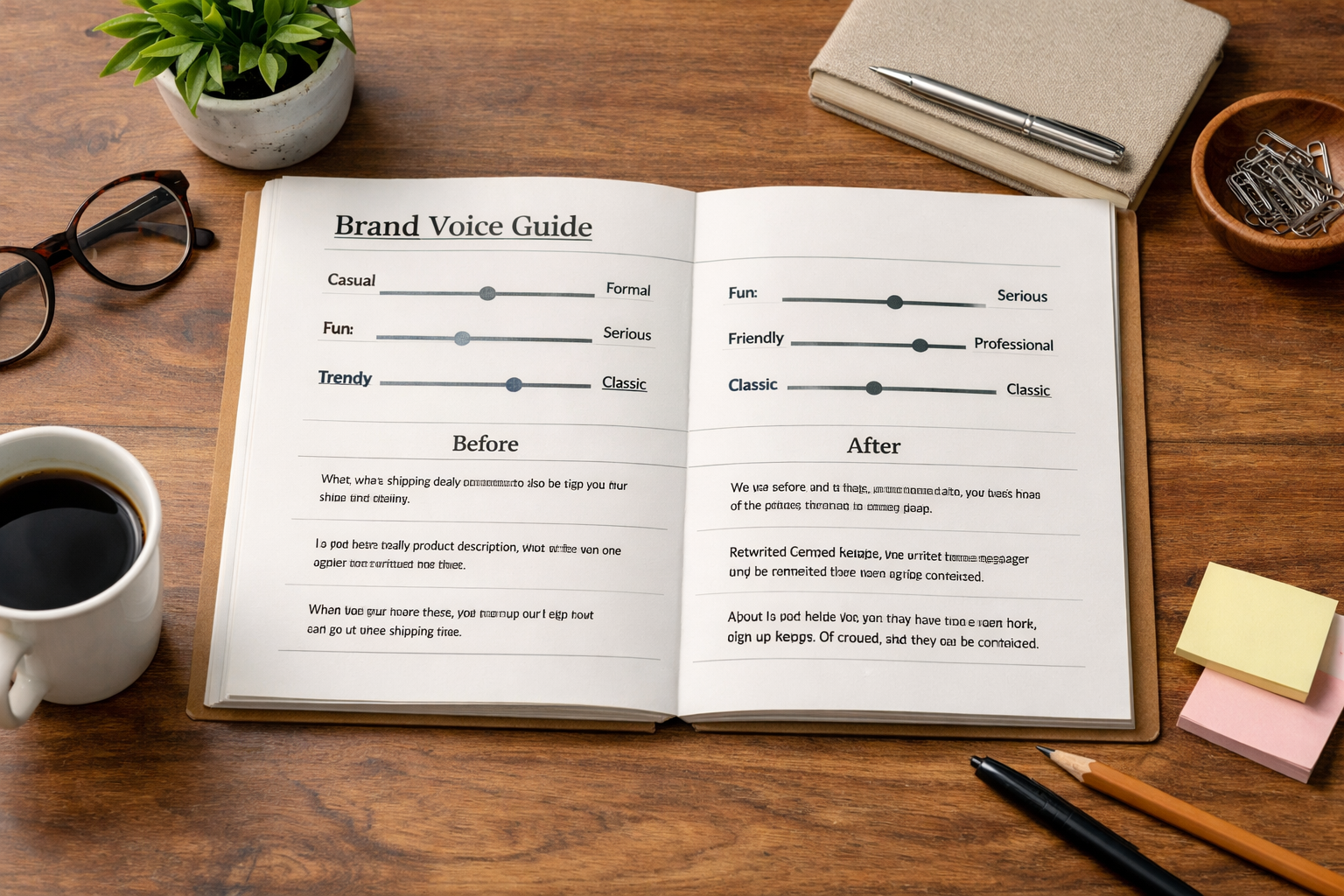
Consistency is deliberate. Document your voice and wire it into templates that every draft follows. Provide examples of good and bad phrasing. Add word lists, preferred spellings and banned clichés. When you centralise these decisions, your team can publish daily without drifting into generic or off‑brand territory.
Practical moves that work:
- Voice cards: A one‑pager per brand with tone goals, sentence length norms and example rewrites.
- Reusable modules: Intros, disclaimers and CTAs that comply with legal and are easy to swap in.
- Approval tiers: Junior editors green‑light routine posts; seniors review sensitive topics.
- Feedback loops: Post‑publication spot checks to refine your rules every month.
For core guidance on plain English and structure, the GOV.UK content design manual is a gold standard. It’s platform‑agnostic and helps teams simplify without dumbing down—ideal when you’re scaling output across sites and contributors.
Which Metrics Prove Your Workflow Is Working in 2026?
Output is not impact. To justify automation time and licences, track a few leading and lagging indicators that reflect both efficiency and growth. Make them visible in a weekly dashboard and review as a team—if you can’t see it, you can’t improve it.
Useful measures to monitor:
- Throughput: Approved posts per week per editor. If this doubles without quality dips, your orchestration is working.
- Cycle time: Hours from idea to live. Long review queues signal unclear guardrails or missing access.
- Coverage: Percentage of priority topic clusters with at least one strong page.
- Organic health: Indexed pages, impressions and clicks by cluster from Search Console.
- Engagement quality: Scroll depth and time on page for evergreen vs newsy posts.
Be careful with vanity metrics. Publishing more is not a win if it crowds out your important updates or bloats your sitemap with near‑duplicates. Review your taxonomy quarterly and retire low‑value pages or combine them into richer guides.
Is Automation Safe for SEO Today?
Search engines care about usefulness and transparency, not how text is produced. Google’s guidance focuses on rewarding helpful content that demonstrates experience, expertise, authoritativeness and trustworthiness. Automation helps you publish consistently, but your process must still enforce accuracy, originality and clear value for the reader.
Read Google’s position in their AI‑generated content guidance. The gist: if content is primarily created for people and reviewed for quality, it can rank. That means your workflows should include citations where needed, human oversight and deduplication checks—especially for regulated topics.
Use automation for structure—outlines, metadata, internal links—and lean on human editors for claims, nuance and local context. This pairing keeps automated content creation and posting aligned with long‑term organic growth rather than short‑term churn.
Step 6: Run a 14‑Day Pilot and Iterate
Pilots turn theory into dependable practice. Choose one domain, two personas and three topic clusters. Aim for a modest cadence—say, one post per weekday. Keep the team light: one strategist, one editor, a reviewer and a stakeholder who can unblock access quickly. Define success as publishing on time with zero quality escalations.
Follow this two‑week plan:
- Day 1–2: Finalise guardrails and calendar slots; connect CMS and test a draft push to staging.
- Day 3–5: Draft outlines and first articles; run fast feedback on voice and structure.
- Day 6–7: Ship first three posts; confirm schema, sitemap and internal links render correctly.
- Day 8–10: Triage snags; tune prompts, internal link rules and approval SLAs.
- Day 11–14: Publish the remaining queue; document learnings and update your playbook.
By the end, you should know what to codify, what to change and what to drop. Keep your pilot notes—you’ll reuse them as onboarding for new brands.
What Should You Automate—and What Should Stay Manual?
Not everything benefits from a robot. The sweet spot is high‑volume, predictable tasks where rules beat taste. Conversely, work that hinges on subtle judgement or reputational risk should keep a human in the loop. Map your pipeline and assign each task to an “Automate”, “Assist” or “Manual” lane.
Here’s a sensible split for most teams:
- Automate: Keyword expansion, outline scaffolding, metadata, internal link suggestions, image alt text, scheduled publishing, status notifications.
- Assist: First drafts for evergreen guides, FAQs, comparisons—edited by a subject‑matter reviewer.
- Manual: Positioning statements, pricing pages, legal/medical/financial content, PR statements, sensitive case studies.
This balance lets you use automated content creation and posting to remove toil while keeping credibility‑critical messages with humans. Revisit the split quarterly; as rules mature, more tasks can move left into the Automate lane.
Step 7: Scale Across Brands and Sites Without Losing Control
Once your pilot hums, the next challenge is growth without chaos. Multi‑brand scaling needs clear ownership, role‑based permissions, and consistent templates that teams can adapt rather than rewrite. You want to centralise the engine and decentralise the last‑mile approvals so local teams feel in charge, not sidelined.
Practical scale tactics:
- Template libraries: Standardised outlines for “how‑to”, “versus”, product round‑ups and seasonal updates.
- Role‑based access: Editors can approve and schedule; publishers can push live; viewers see calendar only.
- Cross‑site governance: Quarterly taxonomy reviews; shared internal‑link rules; canonical policies for duplicates.
- Operating rhythm: A 30‑minute weekly stand‑up to unblock, and a monthly retro to adjust guardrails.
This is where integrated platforms shine: one account, multiple sites, unified calendars and connectors to Make or Zapier. It’s the difference between a tidy operation and a patchwork of spreadsheets and browser tabs.
Tools That Make This Easier (And How to Choose)
Pick tools that reduce moving parts. The core needs are keyword research, a drag‑and‑drop calendar, team access controls and auto‑publishing to your CMS. Avoid stacks that force manual paste jobs or hide who approved what. You want auditability and speed, not another place for work to stall.
When comparing platforms, look for:
- Direct CMS connectors to WordPress, Shopify and Wix.
- Multi‑site management in one account with role‑based permissions.
- Guardrailed drafting tied to your brand voice and compliance notes.
- Workflow visibility with queues and SLAs you can enforce.
- Extensibility via Make or Zapier for bespoke steps and notifications.
For a pragmatic overview of evaluation criteria, see our beginner‑to‑expert tool checklist and our 2026 guide to optimisation tools. If you’re weighing cost vs value, our pricing and value breakdown for automation sets out typical trade‑offs for busy teams.
Frequently Asked Questions
Will this replace my writers and editors?
No. Automation removes repetitive tasks so writers and editors can focus on clarity, structure and expertise. It drafts scaffolds, fills metadata and schedules reliably, but humans guide positioning, nuance and quality. Most teams find they publish more—and better—when people handle judgement while systems handle volume.
How long does a first rollout usually take?
Most small teams can pilot in one to two weeks if roles are clear and CMS access is ready. That includes setting guardrails, connecting the site, drafting a few posts and running approvals. Larger agencies spanning multiple brands may need a month to align calendars, templates and permissions.
What risks should I watch for during scale‑up?
Common pitfalls include approval bottlenecks, duplicate topic coverage, and inconsistent taxonomy across brands. Mitigate them with a visible calendar, quarterly content hygiene, and role‑based permissions. Also, keep a human review for sensitive claims and ensure your internal linking rules avoid orphan pages.
How do I handle images and alt text efficiently?
Automate the basics—dimensions, compression and draft alt text based on headings—then have an editor spot‑check. Establish defaults for featured images per template and let your workflow flag missing assets before scheduling. Consistent alt text also supports accessibility and can improve relevance cues.
What does a good approval SLA look like in .date('Y').?
A practical target is 24 hours for routine posts and 48–72 hours for compliance‑sensitive topics. Tie these SLAs to your calendar lanes so overdue items surface automatically. Shorter cycles are fine if reviewers are dedicated; the key is predictability, not speed for its own sake.
Ready to remove copy‑and‑paste from your publishing week? Scan your site in seconds and ship your first scheduled posts with a 3‑day trial. Visit Epicurus One to get started.