Free Automated Content Creation: The Ultimate Guide for Busy Teams

If you want results from free automated content creation, start small: combine basic keyword discovery, a templated brief, and scheduled publishing via connectors. It works for simple posts and product updates, but you’ll quickly hit limits with quality, volume and governance. Use free options to validate a workflow, then graduate to a platform when bottlenecks appear.
What You Actually Get From Free Tools vs Paid Platforms
Free tooling lowers the barrier to entry. You can stitch together keyword ideas from public sources, draft with a general AI writer, and schedule posts to a CMS using a connector. For a solo marketer or a founder who needs a handful of consistent posts, that’s enough to build momentum and prove there’s an engine worth scaling. The trade-off is orchestration and oversight: every extra piece you add introduces another place for the process to break.
Contrast that with an end‑to‑end platform: discovery, drafting, optimisation, approvals, and publishing in one place. You lose the free price tag but gain reliability, cadence, and guardrails. If you’re managing multiple brands or sites, or you need clear owners, stages and audit trails, the value is not just speed—it’s reducing rework, misfires, and the “who pressed publish?” moments.
In practice, many teams blend the two. They validate voice and workflow with an initial period of free automated content creation, then standardise on a platform once the editorial calendar fills up. The tipping point often shows up as missed slots, copy‑and‑paste fatigue, or brand inconsistencies across product pages and support articles.

Think of it like prototyping. Free tools prove feasibility; a purpose‑built system proves repeatability. If you’re juggling Shopify updates, a WordPress blog and a regional Wix site, the reduction in complexity alone can justify moving beyond DIY, particularly when multiple people are touching the same calendar.
What Does free automated content creation Really Mean?
Let’s demystify the phrase. “Free” usually refers to any combination of zero‑cost plans, limited‑use tiers, or open workflows that don’t require paying a monthly fee to a central vendor. You might pair a search-suggestion site for ideas, a general AI model to draft copy, and a connector to push posts into your CMS. None of those pieces demands a card up front, but each arrives with caps.
“Automated” rarely means “completely hands‑off”. There is still strategy work (deciding what your audience actually needs), editorial judgement (choosing the angle), and governance (making sure what’s published is accurate, safe and on brand). The automation sweet spot is in handoffs and hygiene—moving drafts to the right place, applying repeatable on‑page structures, and publishing on time.
“Content creation” spans more than blog posts. Product descriptions, comparison pages, FAQs, local landing pages and help‑centre articles all benefit from structured generation and scheduling. Each content type has different risk and value: a lightweight blog update is safer to automate than regulated advice or a critical announcement.
So the realistic definition is this: a low‑cost stack that helps you find topics, draft first versions, apply structure, and publish on a schedule—with human checkpoints for brand, compliance and usefulness. The better you design those checkpoints, the safer and more effective your automation becomes.
How to Choose a Sensible Starting Stack in 30 Minutes
Before you wire anything up, sketch the workflow: discover topics, outline, draft, review, optimise, publish. Then pick tools that solve each step with the fewest moving parts. The aim is not “every feature” but “one path that works every week”. If a tool does two steps well, even better—fewer logins and fewer breakpoints.
Discovery: Start with your site’s existing pages and competitor headings. Use suggest boxes and related queries to seed a list. Prioritise topics that serve your current customers first—support questions, shipping policies, usage tips—and fill those gaps before chasing broad industry terms. Outline: Create a repeatable brief with audience, intent, angle, and internal pages to reference. Draft: Use an AI assistant to produce a structured first pass against your brief.
Review and optimise: Check claims, update facts, and layer in examples from your real processes. Avoid jargon. Ensure accessibility and clarity. Publish: Set a consistent cadence (e.g., three posts per week), then schedule ahead so crises don’t derail you. Use connectors to push drafts into WordPress, Shopify or Wix with the right template and tags, then apply an editorial checklist at the preview stage.

If you prefer an integrated route, this step‑by‑step playbook for content automation walks through a practical, single‑lane setup that removes copy‑and‑paste and sets ownership per stage. It’s designed to minimise context switching while keeping a clear paper trail for approvals.
Can You Trust AI Content to Rank and Convert?
Search engines care about usefulness, accuracy and user satisfaction. They have said the method of creation is less important than the value delivered, so long as you avoid spammy behaviour. That puts the onus on your process: build for people, attribute sources, add first‑hand insight, and maintain editorial accountability for anything that goes live.
For guidance, see Google Search Central’s explanation of AI‑generated content and Search. The document emphasises experience, expertise, authoritativeness and trust. In practice, that means your pieces should reflect how your company solves problems, not just recite generic advice. Add product‑specific steps, photos, or brief anecdotes (“customers often ask us…”), and clearly label any limitations or assumptions.
Clarity and accessibility also influence performance—readers who understand you are more likely to convert. The UK Government’s content design guidance and the W3C’s writing for web accessibility tips are excellent benchmarks. They encourage short sentences, plain language, and structure that supports skimming—habits that make AI‑assisted drafts far more reader‑friendly.
Workflow: From Keyword Discovery to Auto‑Publishing
Here is a pragmatic path you can implement today. It balances automation with editorial control so you can move quickly without sacrificing standards. Work through it once manually, then decide which steps to automate first. Usually, the safest automation targets are scheduling and formatting; the most sensitive are claims and compliance.
1) Discovery and clustering. Start with a seed topic and build a list of closely related queries and subtopics. Group them into clusters by intent (how‑to, compare, troubleshoot). Choose one cluster to run as a mini‑series over two weeks. This gives you coherence and internal linking opportunities without spreading yourself thin.
2) Brief and outline. Create a one‑page brief template with audience, intent, angle, internal references, and a structure (H2s and bullets). Draft a crisp intro that answers the question first. If you have product nuances (delivery times, refund rules, compatibility), include them in the brief so they appear in the draft naturally.
3) Draft and annotate. Use an AI writer to produce a first pass. Mark any facts to verify, add placeholders for internal links, and note where a quick screenshot or customer quote would add credibility. Replace buzzwords with concrete steps. If you have regional differences, add them now to avoid a last‑minute scramble.
4) Review and optimise. Check accuracy and tone. Add examples or caveats from your team’s real‑world experience. Apply an on‑page checklist: clear title, lead with the answer, scannable headings, descriptive links, and a related‑articles block. Confirm formatting for your CMS template and test the mobile preview.
5) Schedule and publish. Use an automation step to push the post into your CMS as Draft, attach the right template, and set a scheduled date. Assign a final approver. After publishing, confirm that meta, schema and internal links render correctly. Update your calendar status, and capture learnings for the next batch.
If you want to centralise these steps, Epicurus One connects directly to WordPress, Shopify and Wix, lets you run multiple sites from one account, and automates research, scheduling and publishing. You can invite teammates with access controls, use a drag‑and‑drop calendar, and publish via Make or Zapier—reducing manual copy‑and‑paste entirely.
Comparison: Popular Options for Automating Content
There is no single right answer; choose based on governance needs, volume, and how many sites you run. Below is a high‑level comparison of common approaches. Treat it as a starting point to shortlist two options and pilot them against a week’s worth of content.
| Option | Setup Effort | Key Strength | Typical Limits | Publishing | Best For |
|---|---|---|---|---|---|
| Epicurus One (integrated) | Low: connect sites, set brand voice | End‐to‐end workflow with calendar and roles | Paid after trial; opinionated workflow (by design) | Direct to WordPress, Shopify, Wix; via Make/Zapier | Teams running multiple sites needing governance |
| Connectors + AI writer + CMS | Medium: wire steps, maintain glue | Low cost, flexible pieces | Manual oversight, fragile handoffs | Via Make or Zapier into CMS drafts | Solo marketers or very small teams |
| Docs + scripts + CMS import | Medium‐High: template and script upkeep | Control over templates and versions | Time‐consuming QA; version drift | Manual or scripted imports | Technical teams with scripting comfort |
| Agency or freelancers | Low: outsource production | Human expertise and bandwidth | Variable cost; dependency on external schedules | Usually manual publishing or access to CMS | Teams prioritising full editorial service |
| Static site + CI (e.g., Jamstack) | High: developer‐led setup | Performance and version control | Complexity for non‐dev editors | Automated deploys via CI | Dev‐heavy teams favouring code workflows |
Whichever route you choose, write down your approval steps, link policy, and cadence. These operating rules matter more than any specific tool—especially when more people get involved. If you feel your process becoming a tangle of exceptions, that’s your signal to simplify or graduate to a platform with built‑in governance.
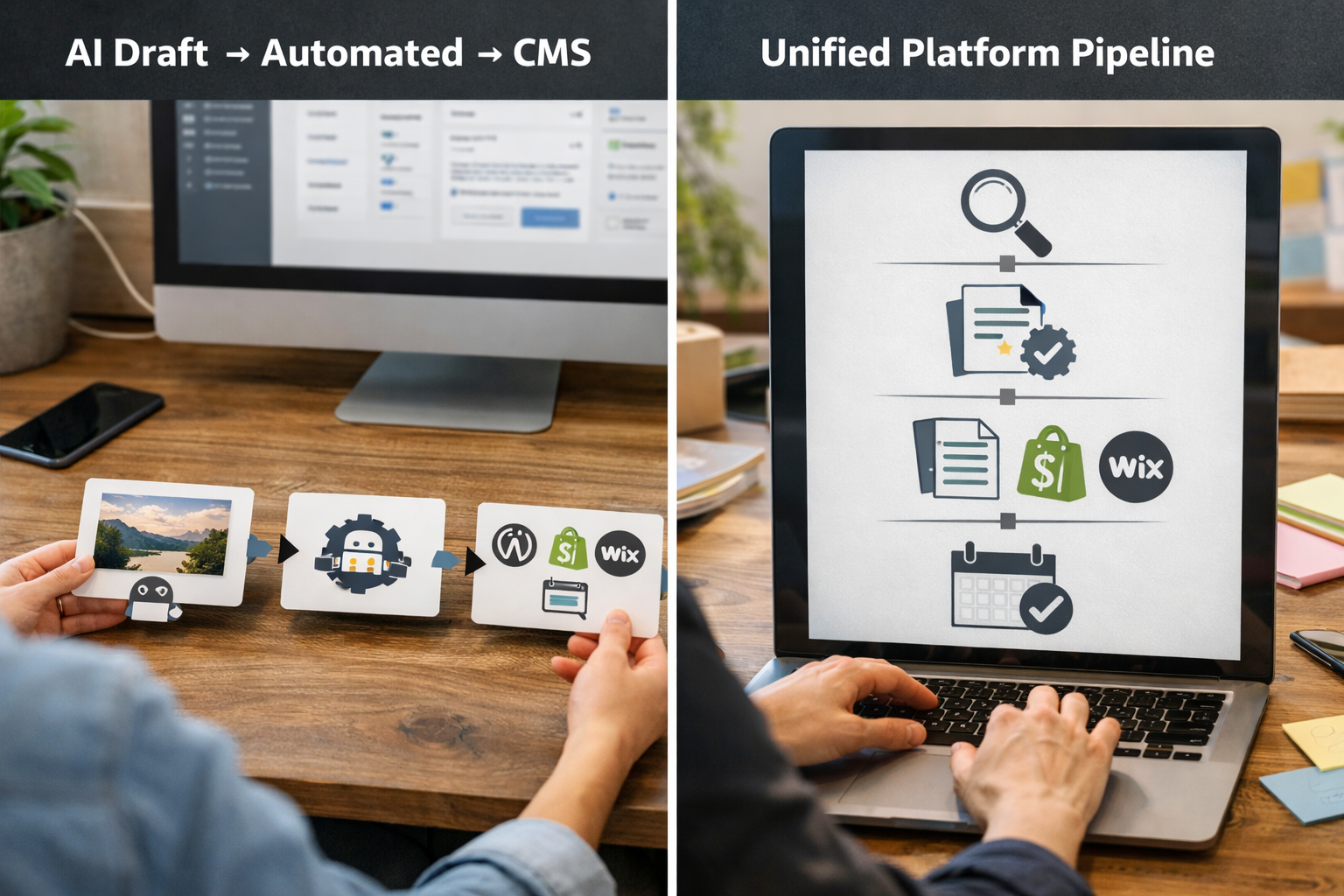
Try it without commitment: Epicurus One can scan a site in about ten seconds and start a three‑day trial that delivers daily articles. Start your 3‑day free trial and see how an all‑in‑one workflow feels compared to your stitched‑together stack.
Where Free Ends: Limits, Hidden Costs and Risk
Free stacks are brilliant for prototyping, but the edges show up quickly. Rate limits throttle generation just when you need scale. Connectors misfire on authentication expiry. Someone forgets to paste a meta description. The result? Missed slots and inconsistent quality. Those are soft costs, but they compound—especially when you manage multiple storefronts or regions.
Governance is the next challenge. Who signs off regulated claims? Where do you track changes? Which post buried a broken link? Without a central audit trail and roles, you rely on memory and Slack threads. That’s risky for accuracy and brand protection. Publishing automation without editorial checks is not a shortcut; it’s an incident waiting to happen.
Finally, accessibility and clarity must not be optional. If a draft is hard to read or omits context, users leave. Building in checklists that align with W3C’s writing‑for‑accessibility tips reduces rereads, support tickets and bounce‑backs. Consider adding a human “sense check” for your highest‑impact pages—even if everything else runs on rails.
Who Should Use It and Who Should Not?
Founders, solo marketers and small in‑house teams stand to win the most from automation. If you own a WordPress blog plus a Shopify catalogue and need to keep both fresh, a lean workflow can turn a day of writing into a week’s scheduled updates. Agencies serving many small clients can also standardise production, freeing strategists to handle briefs and quality control rather than manual publishing.
On the other hand, teams in heavily regulated sectors or with complex sign‑off chains should adopt automation more cautiously. Introduce checkpoints and ring‑fence content types with higher risk. Highly differentiated brands with strong narrative voices may also prefer slower, human‑led drafting augmented by automation for briefs, outlines and final formatting. Automation should amplify your voice, not flatten it.
A helpful middle ground is genre‑based rules: automate FAQs, product specs, and how‑to maintenance; reserve opinion pieces, sensitive comparisons and policy statements for more involved review. As you gain confidence, expand the automated surface area—but keep an escape hatch for pieces that need deeper craft or legal review.

Try It Safely: A 7‑Day Pilot You Can Run This Week
Pilots keep ambition honest. Commit to one clear scope: for example, five support‑driven blog posts and three product description refreshes. Define success as shipping on schedule with a consistent voice and no broken links—not traffic gains, which take longer to show. Document your rules: tone, link policy, internal pages to reference, and the approval gate before anything goes live.
Day 1–2: Gather seed topics from your support inbox and site search. Build briefs and outlines. Day 3–4: Draft, review and add examples or caveats. Day 5: Schedule and publish. Day 6: Check rendering, links and analytics tagging. Day 7: Retrospective—what broke, what felt slow, what can be automated next? If your team tripped on handoffs, accelerate a move to an integrated platform.
Epicurus One was built for exactly this: it researches, drafts on brand, schedules to a drag‑and‑drop calendar, and auto‑publishes to WordPress, Shopify and Wix. You can run multiple sites from one account, invite teammates with access controls, and publish via Make or Zapier. If you’re short on time, it’s the fastest way to validate an operating rhythm.

Frequently Asked Questions
What’s the quickest way to validate an automation workflow?
Pick one content cluster and ship a week’s worth of posts end to end. Focus on the pipeline: discovery, brief, draft, review, schedule, publish. Measure reliability (on‑time publishing, consistent structure) rather than traffic. If the week runs cleanly and people know their roles, scale it; if it stutters, simplify or centralise steps.
How do I keep brand voice and accuracy when using AI?
Write a short style guide with examples, banned phrases and preferred terms. Put product facts in a reference doc. Have a human editor review key claims and add first‑hand detail. Use descriptive internal links and clear headings. Treat AI as a first draft generator and formatter; your team supplies the judgement and experience.
Which CMS is easiest to automate for small teams?
WordPress, Shopify and Wix all support reliable scheduling via native features and connectors. The “easiest” is usually the one you already use, provided you standardise templates and roles. If you manage multiple sites or brands, an integrated platform that connects to each CMS from one calendar reduces duplication and access headaches.
Do I need a separate keyword tool to get started?
No. You can begin with your existing pages, site search queries and customer questions. As you mature, add structured research to plan clusters and prioritise intent. If you want a deeper tour of practical methods, try our guide to keyword research strategy from beginner to expert for workflows that scale smoothly.
What should I automate first to avoid risk?
Target handoffs and hygiene: moving drafts into your CMS with the right template, applying consistent on‑page structure, and scheduling. Keep sensitive claims, comparisons and legal copy under human review. As confidence grows, expand automation to low‑risk formats like FAQs and product specs while maintaining a final human approval gate.
Ready to reduce manual publishing and grow organic traffic? Epicurus One discovers topics, drafts on brand and auto‑publishes to WordPress, Shopify and Wix. Start your 3‑day free trial and see how a unified workflow helps you ship more, with less fuss.