Amazon Keyword Research Strategy for Sellers

An amazon keyword research strategy starts with the words shoppers use to find products, then matches those words to the right listing and buying intent. Research Amazon search suggestions, relevant competing listings and your own product details; prioritise accurate, specific terms; and review performance over time. Your website can support the same customer journey with helpful content, without simply duplicating your listings.
What Does an Amazon Keyword Research Strategy Involve?
Amazon keyword research is the process of finding and assessing the phrases shoppers might use when looking for a product. The aim is not to put every possible phrase into a listing. It is to describe the product clearly using language that is both relevant to the item and useful to a prospective buyer.
That distinction matters because a shopper searching on Amazon is often closer to a purchase decision than someone researching a broad topic on the web. A phrase such as “stainless steel water bottle” describes a product, while “how to clean a water bottle” signals a question. Both can be valuable, but they may belong in different places.
A practical strategy covers five decisions:
- Which product and customer need are you researching?
- Which phrases accurately describe what you sell?
- What does the shopper appear to want from each phrase?
- Where should the phrase inform your listing or website content?
- What will you review before making further changes?
For a wider approach to organising search terms, use this keyword research strategy checklist alongside the Amazon-specific steps below.

Amazon’s systems and available seller tools can change, so check current guidance for your marketplace before editing listings. The Amazon seller guide to search optimisation is a useful starting point for understanding how product information relates to search and discovery.
A Hypothetical Product to Guide the Research
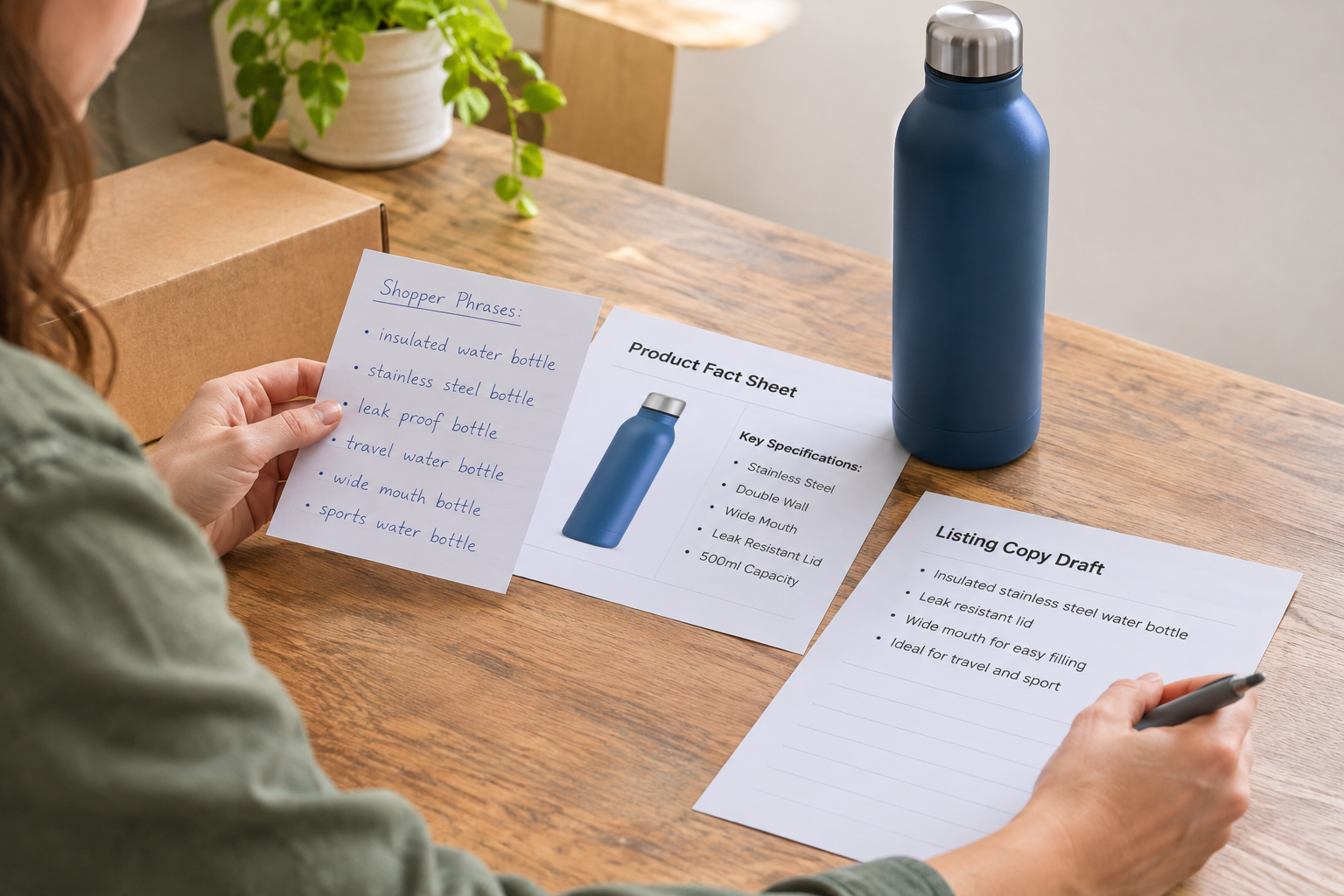
Imagine a small retailer selling an insulated stainless steel water bottle on Amazon and through its own website. The bottle has a defined capacity, a screw-top lid and a particular colour. The retailer wants to understand which phrases describe the product and which questions might make useful website articles.
This is a hypothetical example, not a customer case study. No search volumes, rankings, sales or other results are assumed. The exact terms worth using would depend on the actual product, marketplace and available data.
Before opening a research tool, the retailer writes down verifiable product details: material, capacity, insulation, lid type, dimensions, care instructions and intended use. This creates a reality check for later research. If a suggested phrase describes a feature the bottle does not have, it is excluded even if it appears popular.
Next, the retailer notes who might buy the bottle and why: someone taking water to work, packing for a walk or comparing reusable bottles. These are starting hypotheses, not proof of customer behaviour. Search results and seller data can help the retailer decide which ideas deserve more attention.
How Do You Find Candidate Keywords?
Start with a short seed list based on the product itself. For the hypothetical bottle, that might include “water bottle”, “insulated water bottle” and “stainless steel bottle”. Add only attributes that are true of the item. Use the terminology and units shoppers would expect in the marketplace you serve.
Explore Amazon search suggestions
Enter each seed phrase into Amazon’s search box and note relevant autocomplete suggestions. Try a few natural variations, such as the product type followed by a material, capacity or use. Suggestions are useful prompts, but they do not establish search volume, conversion potential or a guarantee that a term is appropriate for your listing.
Open the results for promising phrases. Look at the kinds of products shown and ask whether your item is a plausible match. If a search brings up a different product type, a term that initially looked relevant may have a different meaning to shoppers.

Inspect comparable listings carefully
Review the titles and descriptions of genuinely comparable products. Look for recurring ways to describe materials, sizes and uses, then compare those terms with your own product facts. Do not copy another seller’s text, brand names or claims. Competitor wording can suggest a phrase to investigate; it is not evidence that the phrase is accurate for your product or permitted in your listing.
Use your own evidence
Customer questions, support enquiries and product reviews can reveal the language people use and the details they find confusing. Check any available seller reports or advertising search-term data for the relevant marketplace and account. Treat paid campaign data as one source of evidence, not a complete picture of organic search.
Keep source notes next to each candidate phrase. For example, mark whether it came from autocomplete, a product question or a report. That makes it easier to revisit the reasoning when a phrase is disputed or when the product changes.
How Should You Sort and Prioritise Keywords?
Group phrases by their apparent intent and by how closely they match the product. The hypothetical retailer might use the following working table. The examples are illustrative, not recommendations for every bottle listing.
| Candidate phrase | Likely intent | Product fit to check | Possible destination |
|---|---|---|---|
| Insulated water bottle | Find an insulated bottle | Confirm insulation is a real feature | Relevant product listing |
| Stainless steel water bottle | Find a bottle made from that material | Check the material description is accurate | Relevant product listing |
| Water bottle for walking | Find a bottle for a particular activity | Consider size, weight and practical suitability | Listing copy if supported; potentially a website guide |
| How to clean a water bottle | Learn how to care for a bottle | Check care instructions for the actual product | Website article or product care information |
| Replacement bottle lid | Find a separate lid | Check whether a compatible lid is sold | Separate product page if available |
Use relevance as the first filter. A phrase with attractive metrics is still a poor choice if the product cannot satisfy the shopper. Then consider specificity: a detailed phrase may be easier to map to a precise product, but it can also be too narrow or describe an attribute you cannot substantiate.
If you have access to a keyword tool, record its estimates with the source and date. Different tools may use different methods, so treat estimates as directional rather than as exact demand. Avoid comparing numbers from different sources as though they were measured in the same way.
Assign a primary phrase to each product or meaningful variation, then add a small group of closely related supporting phrases. Keep a separate list of questions for website content. This reduces the temptation to make a product listing answer every possible question or to write several articles covering essentially the same topic.
Where Do the Best-Fit Terms Belong?
Once the retailer has selected relevant phrases, the next job is to make the listing easy to understand. The product title, attributes, bullet points and description should convey what the item is and what a buyer needs to know. Use natural wording rather than repeating the same phrase in every field.
For the hypothetical bottle, a title might identify the product type, material and accurate distinguishing details. Bullet points could explain genuine features and care information. Structured attributes should match the product and the options provided for its category. The exact fields and rules depend on the marketplace and category.
Amazon may also provide backend search-term fields for eligible listings. Consult the current instructions in your seller account before using them. Do not assume that hidden terms can fix inaccurate product information, and avoid prohibited, misleading or irrelevant wording.
Read the finished listing as a shopper would. Can someone tell what is included, what the product is made from and whether the important attributes match their needs? If a keyword makes the text confusing or suggests a feature the product lacks, leave it out.
Keep a change record: note the listing, the date, the fields edited and the reason for the change. This provides context for future reviews without implying that a single edit caused any later change in performance.
Can Website Content Support Amazon Research?
Yes. Amazon research can uncover questions that deserve a fuller answer on your own site. A product listing is designed to help someone evaluate an item; a website article can explain a broader task or comparison, provided it offers useful information rather than merely repeating sales copy.
In the hypothetical example, “how to clean a water bottle” could become an article about care methods, with clear caveats to follow the instructions for the specific bottle. A comparison of bottle materials could discuss practical differences and link to relevant products where appropriate. Check any safety or care claims against reliable product documentation before publishing.
Map each topic to one clear reader need. If an existing page already answers the question, improve that page instead of creating a near-duplicate. For more help separating assumptions from useful research, read these small business keyword research myths and facts.
Busy teams can use Epicurus One to research website topics, plan articles and publish on a schedule. It connects directly to WordPress, Shopify and Wix, with publishing via Make or Zapier. If you want to turn relevant customer questions into a website content plan, start a free trial. Amazon listing edits remain a separate task.
How Do You Turn Research Into a Repeatable Workflow?
A repeatable process is more useful than a one-off spreadsheet that nobody revisits. The hypothetical retailer could work through one product family at a time, keeping listing research and website topics connected but distinct.
- Gather product facts. Confirm specifications, variants, availability and claims with the people responsible for the product.
- Collect candidate phrases. Use Amazon suggestions, comparable listings and available first-party data. Record the source of each idea.
- Check intent and fit. Search the phrase, inspect the results and remove terms that imply unsupported features or a different product.
- Map the work. Decide which terms inform a listing, which questions belong on the website and which ideas should be set aside.
- Review the copy. Have someone check accuracy, clarity and current marketplace requirements before changes go live.
- Monitor and update. Record changes, review available performance information and revisit terms when the product or customer questions change.

For an agency managing several sellers, keep each client’s product facts, permissions and change log separate. Agree who can approve a listing change and who owns website publishing. A shared process is helpful, but each product still needs its own relevance and accuracy checks.
When planning website articles, a calendar helps teams see the topic, owner, review stage and intended publication date in one place. This playbook for automated content creation and posting explains how to organise that publishing workflow.
What Should You Measure and Avoid?
Review available listing and advertising data in context. Depending on your account and marketplace, you may be able to examine search-term information, traffic and sales-related measures. Choose a review period that makes sense for your business, and note other changes such as pricing, availability, advertising activity or seasonality.
A change in performance after an edit does not, by itself, prove that the edit caused it. If possible, avoid changing every listing element at once; a clear change log makes later interpretation more practical. Do not promise a ranking or sales outcome from keyword placement alone.
Avoid these common shortcuts:
- Keyword stuffing: repeating phrases until the copy is difficult to read.
- Unsupported claims: adding a desirable feature, material or use that the product does not have.
- Brand misuse: adding another brand’s name simply to capture its searches.
- Blind copying: assuming a competitor’s wording is accurate, compliant or effective.
- Topic duplication: publishing multiple website articles that answer the same question without adding value.
- Metric chasing: selecting a term solely because a tool reports an attractive estimate.
For website content, the Google guidance on helpful, people-first content offers a useful quality check. It applies to Google Search, not to Amazon’s ranking system, but its emphasis on useful, reliable information is relevant when deciding what to publish on your own site.

Video: Explore the Research Process
For a visual introduction, look for a current walkthrough that demonstrates Amazon search suggestions, product relevance checks and listing research. Compare any advice with your marketplace’s latest seller guidance before applying it.
Frequently Asked Questions
Are Amazon keywords the same as Google keywords?
Sometimes the wording overlaps, but the platforms serve different search experiences. Amazon searches often lead directly to product listings, while Google searches can lead to articles, shops and many other page types. Research each platform in its own context rather than assuming that a phrase suitable for a website article belongs in a product listing.
Do I need a paid tool to begin?
No. You can begin with product facts, Amazon search suggestions, comparable listings and questions your customers already ask. A paid tool may provide additional estimates or organisational features, but assess its data sources and limitations. The essential first step is deciding whether each phrase accurately describes your product.
How many keywords should I put in a listing?
There is no useful universal number. Select the terms needed to describe the product accurately and naturally, then follow the current field and category guidance in your seller account. Repetition for its own sake can make a listing harder to read. Prioritise clarity and relevance over hitting a fixed keyword count.
Should every product variation have the same keyword plan?
Not necessarily. Related variations may share a core product phrase, but their distinguishing attributes can differ. Check the actual size, colour, material or other variation details and follow Amazon’s current rules for the product category. Avoid assigning an attribute to a variation that does not have it.
How often should I revisit my research?
Review it when product details, availability or customer questions change, and at intervals your team can maintain. Use your change log and available performance data to identify questions worth investigating. There is no fixed schedule that suits every catalogue, and short-term fluctuations alone are not proof that a keyword needs replacing.
Ready to build a website content plan around the questions your customers ask? Explore Epicurus One and its free site scan and trial.