Automated Content Creation GitHub: Practical Tips and a Quick-Reference Table

If you want to run content like code, the shortest route is to store drafts in a repository and publish with a CI workflow. In plain terms, automated content creation github means using GitHub Actions to lint, transform and auto‑post articles on a schedule or when you merge a pull request—saving manual copy‑and‑paste while keeping everything reviewable.
What Is automated content creation github and When Does It Make Sense?
At its simplest, this approach treats content as code. Your writers or editors work in Markdown (or a CMS-connected format) inside a repository. Commits trigger a pipeline that validates front matter, checks style, transforms content, and publishes to your site. The benefit is auditability, repeatability and speed. It’s ideal when your team already uses GitHub and wants clear, versioned change history.
It makes particular sense when you need one or more of the following:
- Multiple environments (draft, staging, production) with protected branches and approvals before anything goes live.
- Repeatable formatting, metadata and schema so every post ships with the right titles, canonical tags, and structured data.
- Scheduled publishing that doesn’t rely on someone being online at 7am on Tuesday.
- Consistent, automated checks for links, reading age, spelling, and style.
- Publishing to several sites from a single source of truth.
Automations aren’t a panacea. If your editors prefer WYSIWYG, or if content must pass through legal review in a non-technical tool, you might add a lightweight approval step or consider a hybrid. Equally, automated content creation github can be overkill for a five-page brochure site that rarely changes. Use the right hammer for the right nail.
Your GitHub-First Workflow: From Repo to Published Article
Here’s a practical, GitHub-first path you can implement without reinventing the wheel. The goal is to go from a single repository to a published article using repeatable steps and clear ownership.
- Define content format: Adopt Markdown with front matter (title, description, date, tags, canonical, status). Keep a content folder per site if you publish to several domains.
- Set branch strategy: Writers branch from main or content, raise pull requests, and request review from editors. Enable branch protections and required approvals.
- Lint and validate: Use a prose linter (for example, Vale) to enforce tone, spelling and banned words. Validate YAML front matter with a schema check so missing titles are caught early.
- Transform: Convert Markdown to HTML using a static site tool or a custom script. Inject SEO elements (H1, H2 mapping, meta description, canonical) from front matter. Generate structured data as JSON‑LD.
- Preview: Build a preview artifact or a temporary URL so stakeholders can read the formatted piece before approval. Store artifacts for a set number of days.
- Publish: On merge to main or on a schedule, call your CMS API (WordPress REST API, Shopify Admin API, or Wix API) to create/update posts. Alternatively, call Make or Zapier webhooks that handle CMS specifics.
- Notify: Post success/failure to Slack or Microsoft Teams with a link to the run and diff.
- Measure: Update a content index in the repo (CSV/JSON) with the target URL and publish time so you can reconcile what shipped with analytics later.
Small but important details matter: normalise slugs in a single place, escape HTML in code blocks, sanitise embeds, and add a dead-link check that runs before publish. A steady cadence beats sporadic big pushes; schedule daily runs to keep content flowing.

Which Tools Should You Use Together?
You can assemble a dependable stack by pairing a few proven components. Think of it as selecting building blocks rather than coding everything by hand. The exact pairing depends on your CMS, hosting and team preferences, but the combinations below rarely disappoint and fit most content operations.
- Pipeline runner: GitHub Actions for triggers on push, PR and cron. It’s native, well-documented and scales for most teams.
- Content formatting: A static site generator (Eleventy, Hugo) or a simple Node/Python script to turn Markdown and front matter into clean HTML.
- Quality gates: Vale for style; markdownlint for formatting; a custom link checker; and a word/character counter for titles and descriptions.
- SEO helpers: A templater to insert JSON‑LD, meta tags and open graph images consistently across posts.
- Publishing connectors: Direct calls to WordPress REST API, Shopify Admin API (Blog/Articles), or Wix via HTTP endpoints. Alternatively, offload the last mile via Make or Zapier to reduce bespoke code.
- Notifications: GitHub’s job summaries, plus Slack or Teams webhooks for quick visibility.
If you’re orchestrating multi-site, keep site-specific variables out of code. Use environment‑scoped secrets and a mapping file that translates a content folder to target endpoints and taxonomies. That way, scaling to a new site means adding configuration, not rewriting logic. This approach plays nicely with automated content creation github because each move is explicit and reviewable.

Quick-Reference: Tasks, Tools and Effort
Use this table as a starting point for your pipeline. It pairs typical tasks with suggested tools and a quick take on complexity. Adjust to fit your stack and governance rules. If you’re unsure, prototype with the simplest option, then iterate once it proves reliable—don’t optimise prematurely.
| Task | Recommended Action/Tool | Target CMS | Complexity | Notes |
|---|---|---|---|---|
| Validate front matter (title, date, canonical) | YAML schema check + custom script | Any | Low | Fail fast if required fields are missing. |
| Lint prose for style and banned words | Vale + markdownlint | Any | Low | Codify voice; block merges on critical issues. |
| Convert Markdown to HTML | Eleventy or Hugo (or Pandoc) | Any | Low–Med | Maintain consistent templates for SEO tags. |
| Add structured data (Article, FAQ) | Template JSON‐LD injection | Any | Low | Follow Google guidance on schema usage. |
| Publish to WordPress | REST API via Node/Python | WordPress | Med | Map categories/tags; handle auth and slugs. |
| Publish to Shopify blogs | Admin API (REST/GraphQL) | Shopify | Med | Create article, set author, SEO fields, handle images. |
| Publish to Wix | HTTP function or Apps | Wix | Med | Often simpler via Make/Zapier webhooks. |
| Schedule posts | GitHub Actions cron + delayed publish field | Any | Low | Use UTC consistently; avoid double posts. |
| Broken link check | Link checker (HTTP, local) | Any | Low | Exclude known flaky domains from hard fails. |
| Image optimisation | Sharp/Imagemin | Any | Low–Med | Generate responsive sizes and web‐friendly formats. |
| Multi-site routing | Config map + environment secrets | Any | Med | Keep per‐site taxonomy and API keys separate. |
| Approval gate | Branch protections + code owners | Any | Low | Require 1–2 editor approvals on content PRs. |
| Notifications | Slack/Teams webhook | Any | Low | Include links to run logs and preview artifacts. |
| Analytics tagging | UTM + dataLayer snippet | Any | Low | Track campaigns without manual URL builds. |
| Rollback | API update/delete + redirect helper | Any | Med | Keep a runbook; unpublish fast if needed. |
| Legal/brand sign‐off | PR template checklist | Any | Low | Make sign‐off explicit before merge. |
Don’t forget the documentation that glues this together. A concise README, a CONTRIBUTING guide for writers, and a sample front matter file will save you hours of back‑and‑forth. This is where automated content creation github shines: it makes expectations explicit and testable.
How Do You Keep Brand Voice Consistent Across Repos and Sites?
Voice drift is the silent killer of scale. The more contributors you have and the more sites you run, the more likely it is that tone and terminology wander. You can largely prevent that by codifying voice, turning it into checks, and keeping the rules close to where writing happens—inside the repo itself.
- Create a brand.yml that lists banned phrases, preferred spellings, reading-age targets, and how to format product names and trademarks.
- Use Vale to enforce the above. Start with warnings, then move critical rules (legal terms, trademark use) to errors that block merges.
- Add a PR template with checkboxes: “Meta description written”, “Primary keyword used naturally”, “Internal links added”, “Legal OK”, so reviewers don’t miss key items.
- Ship a preview artifact per PR so reviewers see the finished layout, not raw Markdown. Comments become specific and helpful.
- Centralise shared components such as author bios and CTAs so they update across posts without manual edits.
If you’re using AI draft assistance, keep prompts, constraints and brand examples in the repo too, and review outputs with the same rigour as human copy. Tools are helpful, but brand trust is earned with consistency over time—especially when multiple domains are in play.

What About SEO: Titles, Schemas and Internal Links?
Technical SEO details are easy to get wrong at speed, so bake them into your pipeline. Use front matter for the page title and meta description; validate Title length and description ranges during linting. Manage canonicals explicitly—especially if you syndicate content—and derive slugs predictably from titles with a safe transliteration step.
- Structured data: Generate JSON‑LD for Article, BreadcrumbList, and FAQ when relevant. Follow the latest guidance in Google’s structured data documentation and avoid marking up content that isn’t visible on the page.
- Internal links: Keep a repository index of cornerstone pages and insert 1–3 contextual links where they add value. Reject over‑linking and exact‑match anchors—it’s noisy and unhelpful.
- Media: Optimise images for size and lazy‑load them. Provide descriptive alt text and ensure captions match on-page claims.
- Sitemaps: If your CMS controls sitemaps, re‑ping after publish. If you host sitemaps yourself, add a step in the pipeline to rebuild and submit.
For deeper planning, you can pair this workflow with the research and optimisation approaches in SEO Keyword Research for Small Businesses: Myths vs Facts and the hands‑on guidance in Content Optimisation Tools: A Practical FAQ for Busy Teams. Your technical stack and editorial strategy should reinforce each other.
Security, Reviews and Governance for Teams
Security and governance come first when a pipeline can change your live site. Treat your content CI the way you treat application CI. Protect main with required reviews, enforce status checks, and restrict who can rotate or view secrets. Store CMS tokens as GitHub Actions secrets; never hardcode credentials in workflows or scripts.
- Adopt least privilege for tokens. Limit API scopes to just what publishing needs.
- Pin Actions to a specific commit SHA where possible, not just a mutable tag.
- Use environments for staging vs production with separate secrets and required approvals.
- Log publish events. Add a job summary with target URL, author, and time for audit trails.
- Run a security review of the pipeline against the NCSC’s DevSecOps principles; fix weak points before they become incidents.
Depending on your data flows, consider whether a lightweight DPIA is warranted; the ICO’s guidance on data protection is a sensible compass. And keep your Disaster Recovery simple: a manual rollback script that unpublishes a post or restores the previous version. Security is part of quality. So is process clarity. Used well, automated content creation github strengthens both.

When GitHub Pipelines Are Overkill (and What to Use Instead)
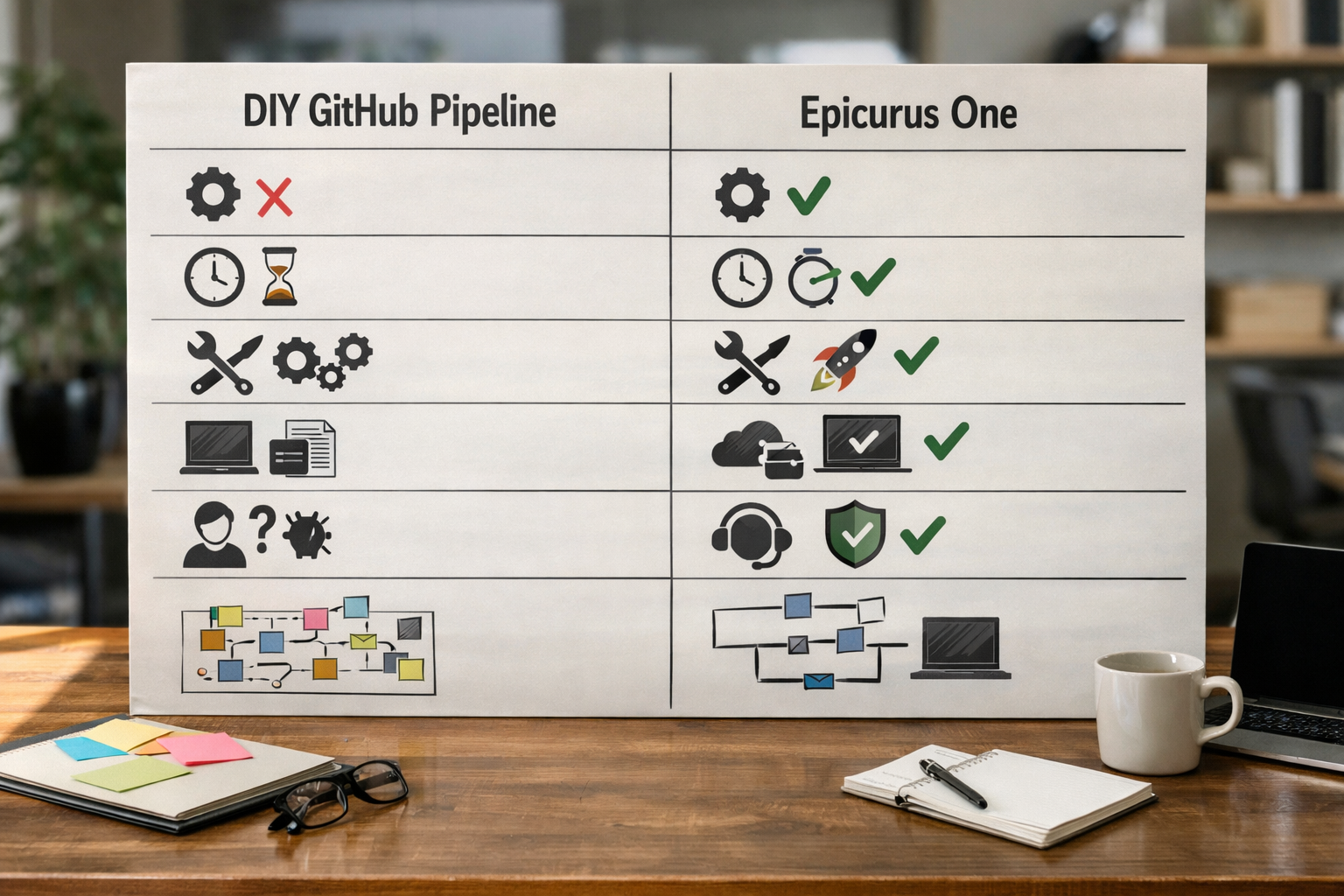
Sometimes you don’t need another repo to maintain—you need content flowing with minimal engineering. If you want keyword discovery, a drag‑and‑drop calendar, team permissions, and direct publishing to WordPress, Shopify or Wix without writing scripts, a specialised platform can be faster to value and easier to run.
Epicurus One automates the research‑to‑publish chain: it finds relevant keywords, drafts on‑brand articles, schedules posts and publishes directly to your CMS—or via Make and Zapier—so you avoid managing writers, briefs, and plumbing. It’s designed for busy owners and agencies who want organic growth without a tangle of pipelines.
Try it now: Start a free trial with Epicurus One and get daily articles during your 3‑day trial. If you prefer a cost/benefit breakdown first, see Automated Content Creation: Cost and Value Breakdown for Busy Teams for a clear comparison to DIY builds.
When your needs are lightweight or change frequently, automated content creation github can become a maintenance burden. A platform removes the integration tax, while giving you scheduling and governance built in. Choose the lowest‑effort, highest‑reliability route that fits your team’s skills and time.
Step-by-Step: A Minimal Viable Automation You Can Ship Today
If you want proof fast, ship a tiny pipeline that publishes one Markdown post to a WordPress staging site. You’ll learn the moving parts and can extend from there. Here’s a lean path that most teams can complete in an afternoon.
- Create a private repo with a content/post-hello-world.md file and front matter (title, description, date, tags, slug, status: draft).
- Add a simple Node script to transform Markdown to HTML and map fields to WordPress API fields.
- Generate a long‑lived WordPress Application Password limited to Article create/update.
- Store the base URL, username and password as GitHub Actions secrets.
- Add a workflow that runs on push to main and on a daily cron; include steps for npm install, lint, transform, and publish.
- Implement a dry‑run flag to validate everything without hitting the API.
- Post a Slack message on success or failure, linking to the page or run logs.
- Document rollback: an API call that moves a post to draft.
- Add a second site by introducing a mapping file (folder → API endpoint + taxonomy) and separate secrets.
- Turn on required reviews for content changes and enforce passing checks before merge.
Once this works, you can add image optimisation, JSON‑LD, internal link checks, and scheduling logic. If you need a fuller playbook, the walkthrough in Automated Content Creation and Posting: A Step‑by‑Step Playbook for Busy Teams pairs nicely with GitHub-based builds.
Frequently Asked Questions
Can I publish to WordPress, Shopify and Wix from one repo?
Yes. Keep each site’s content in separate folders with a map that defines target endpoints, taxonomies and auth secrets. Your workflow reads the map and routes posts accordingly. Use GitHub Environments so each site has its own secrets and approval rules. This lets one pipeline manage many destinations without hardcoding credentials or categories.
How do I handle images and media safely?
Optimise images in the pipeline (e.g., Sharp) and upload them via the CMS API before creating the article. Store alt text in front matter. Sanitize filenames and generate responsive versions where the CMS supports them. For embeds, whitelist providers and validate URLs; consider oEmbed endpoints to avoid raw HTML if editors aren’t technical.
What happens if an Action fails on schedule?
Make failures loud and actionable. Send a Slack or Teams alert with the job summary and error. Use retry logic where appropriate, mark flaky network checks as soft fails, and keep a runbook with manual publish steps. A small dashboard (or GitHub Pages status page) helps teams spot stuck items and re‑queue them quickly.
Is auto-generated content safe for SEO in 2026?
Search engines care about usefulness, accuracy and experience, not whether a human or a tool typed the first draft. Keep strong editorial review, cite authoritative sources, and ensure originality. Pair automation with clear expertise signals (author bios, references, transparent updates) and avoid thin or duplicate posts. Quality gates in your pipeline make this operational.
How can teams review and approve before publishing?
Use protected branches with required reviews, CODEOWNERS to auto‑request editors, and status checks that must pass (linting, link checks, preview build). Generate a preview artifact so reviewers assess the finished layout. Add a checklist in the PR template for SEO and legal items. Only on merge—or a timed workflow—should the CMS publish step run.
Ready to automate without the maintenance? Start your free Epicurus One trial, connect WordPress, Shopify or Wix, and let daily, on‑brand articles roll in while you focus on strategy.