Full Automated Content Creation Blogs n8n: 18 Practical Tips That Actually Work
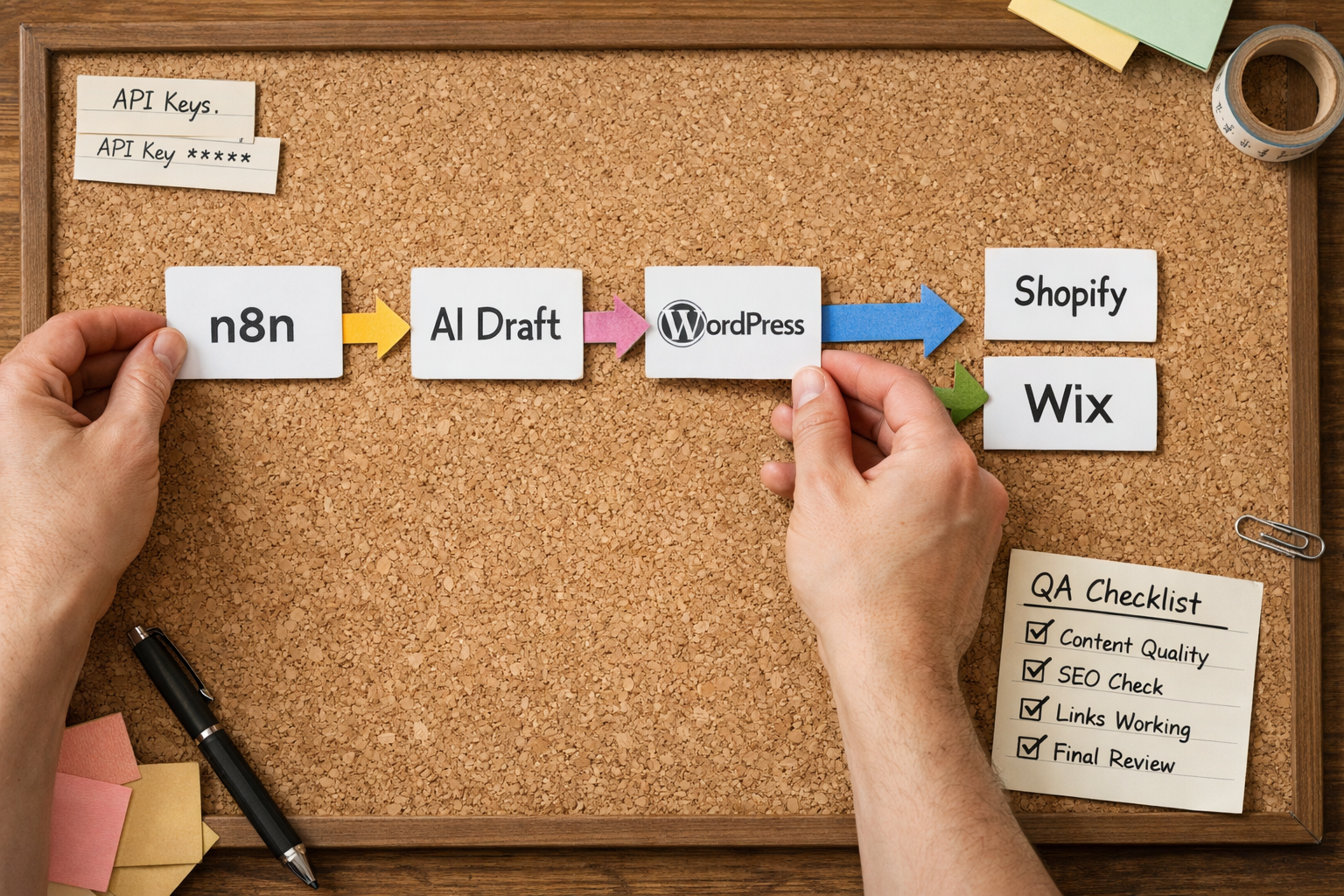
If you want full automated content creation blogs n8n, connect your keyword source, generation prompts, editorial checks and CMS publishing into one repeatable flow. Use triggers for schedules, templates for brand voice, a human-in-the-loop review step, and API actions for WordPress, Shopify or Wix. Start small, log everything and expand once quality is proven.
Why teams use n8n for automated blog pipelines
n8n sits in a sweet spot for marketing ops: powerful enough to orchestrate multi-step content workflows, yet flexible and self-hostable so you can keep control of data and costs. In practice, that means you can move from scattered scripts and manual copy‑and‑paste to a single, visible pipeline that hands off drafts, review tasks and publishing with minimal friction.
Three reasons stand out. First, connectivity: n8n offers a broad catalog of ready-made nodes (HTTP requests, schedulers, queues, storage, AI connectors) and a JavaScript Function node for glue logic. Second, transparency: runs are inspectable, with step-by-step data you can replay or debug when prompts or APIs change. Third, governance: you can model a human-in-the-loop step without bolting on a separate approvals tool.
For content teams, this translates into predictable throughput. Instead of hoping writers are free, your pipeline starts from an agreed keyword list, generates structure and copy on demand, standardises metadata and images, and pushes to your CMS on a calendar. If you prefer an opinionated approach, you can pair n8n with a platform like Epicurus One for keyword discovery, a drag‑and‑drop content calendar and managed publishing to WordPress, Shopify and Wix. That hybrid keeps autonomy in n8n while removing the messier research and scheduling chores.
Finally, you can scale horizontally. A single workflow can branch per site or per brand, each with different tones, length targets or categories. With sensible retries and rate limits, teams can run daily or hourly batches without spiking API usage or colliding with editorial work.
your full automated content creation blogs n8n blueprint
Here’s a clear, adaptable blueprint you can implement and then refine. The goal is predictable flow from keyword to published post without breaking brand voice or quality. We’ll keep each block small so you can swap parts later (for example, changing generators or CMS platforms) without redoing everything.
- Source keywords: Pull from a CSV/Sheet, a database, or a research tool’s API. Group by intent and difficulty, and flag those aligned with your products or services. If you need a primer, our beginner‑to‑expert keyword research checklist is a solid starting point.
- Prioritise and enrich: Add metadata—search intent, primary questions, desired internal links, canonical categories. This becomes prompt fuel and helps with on‑site structure.
- Outline stage: Use your generator to produce an outline based on the enriched keyword entity list. Keep this deterministic where possible (e.g., standard H2/H3 patterns) to simplify QA.
- Draft generation: Generate the first pass with your brand voice guidelines and known internal resources. Always include a prompt block that injects tone, prohibited claims and linking rules.
- Quality gates: Run linters (readability, length checks), scan for over‑claims, and detect accidental duplication. Send anything borderline to a review queue.
- Media and meta: Create or request images, craft title/meta, add internal links and external references to authoritative sources where helpful.
- Publish: Use the relevant CMS API to create drafts or publish live depending on your process. Apply categories/tags, set authorship and canonical URLs.
- Monitor: Log URLs, response times and publish status. Capture feedback signals (edits made by humans, engagement metrics later) to retrain prompts.
In your workflow description, explicitly call this the full automated content creation blogs n8n flow, so the team recognises it as the canonical path. That clarity prevents side projects and keeps improvements flowing to a single, maintained pipeline.

As you productise the pipeline, bake in small-but-crucial safeguards: timeouts on external APIs, a dead‑letter queue for failures, and a safe mode that switches publishing to draft only if your QA score dips below a threshold. These touches keep you shipping even on days when an upstream service is flaky.
What integrations do you actually need?
Your minimal stack is simpler than it looks. You need: a data source for keywords (Sheets/DB), an AI generator (your chosen provider), an editorial review surface (could be a task tool or inbox), a CMS connection (WordPress, Shopify or Wix), and logging/notifications. n8n covers much of this natively; the rest slots into HTTP nodes or webhooks.
- Keyword source: Google Sheets or Airtable work well. Treat this as the single queue that upstream research updates and downstream publishing consumes.
- Generator: Choose a provider your legal and security teams approve. Keep prompts and safety rules versioned in a repo so changes are visible and revertible.
- Review surface: Email with actionable diffs, or pipe into a channel with a one‑click approve/publish action. Keep reviewers focused: what needs attention, not the whole draft from scratch.
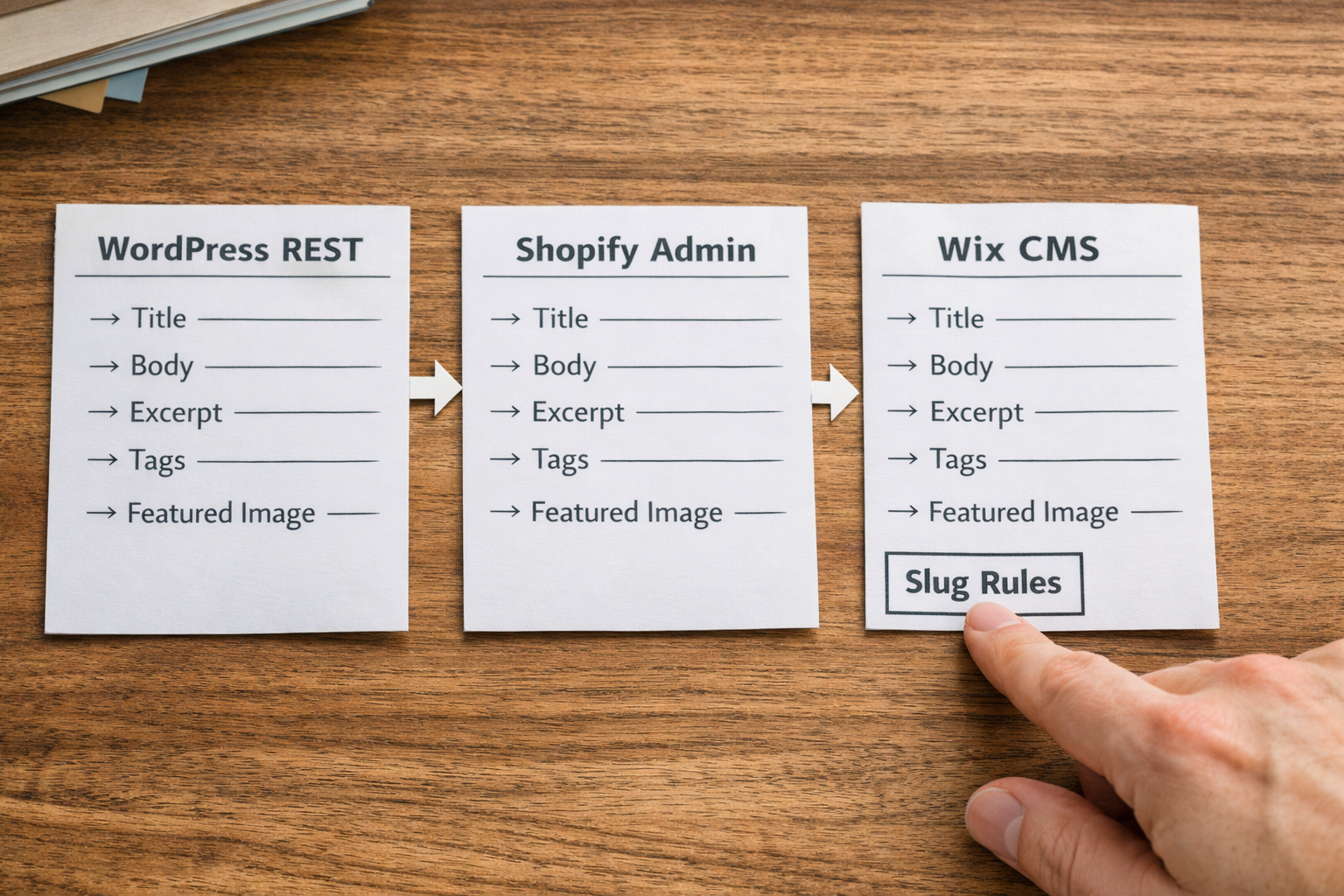
- CMS connectors: WordPress REST API, Shopify’s Admin API for blogs, Wix’s Content Manager. Map fields clearly—title, excerpt, body HTML, categories/tags, image IDs and canonical.
- Observability: Post run summaries to Slack/Teams and save a JSON log to S3/Drive for auditing. Logs help you debug subtle prompt regressions.
If you need a deeper operational playbook, our step‑by‑step playbook for automated content creation and posting walks through a practical pipeline that supports busy teams.
Finally, align your quality bar with public guidance. Google’s Search Essentials on helpful content emphasise people‑first value, expertise and transparency. Build these into prompts and review checklists, so compliance is an outcome of your process, not a last‑minute scramble.
How do you keep brand voice consistent without manual edits?
Codify your voice. Treat brand voice as data—clear, portable and enforceable. In practice, store a small JSON schema containing tone adjectives, sentence length targets, banned phrases, reading level, and link rules (e.g., at least one internal pillar link, exactly one authoritative external citation, never use raw URLs). Inject that JSON into prompts and keep it versioned.
Second, constrain structure. For recurring content types—how‑tos, comparisons, FAQs—set deterministic section templates with required elements (e.g., opening answer in 50 words, three H2s that are questions, one quick‑reference table). Constrained structure dramatically reduces variance between drafts and makes reviews faster. Our practical FAQ on content optimisation tools covers how templates and scorers work together.

Third, teach the model what not to do. Include hard rules: avoid sensational claims, avoid specific figures unless cited from an approved list, prefer British English, and never promise results. Wrap these in assertive language in your prompts. Finally, run an automated linter that flags common drifts (US spellings, superlatives, overlong sentences), then route to a human if the score is under your threshold.
A drag-and-drop calendar that triggers publishing
Successful automation still needs scheduling discipline. A calendar view—ideally one that triggers runs—is the glue between strategy and execution. Drag a keyword into next Wednesday’s slot, and the system should line everything up: generation, review window, image requests and publishing, with buffers for sign‑off. If plans change, drag it elsewhere and the workflow reschedules.
Epicurus One’s calendar is designed for this exact need: you can plan topics across multiple brands, assign owners, set publication frequencies, and auto‑publish to WordPress, Shopify or Wix (or dispatch via Make/Zapier). It’s the missing layer that turns a clever workflow into a reliable monthly cadence your stakeholders can see and trust.
Ready to ship on autopilot? Scan your site in ~10 seconds and start your 3‑day trial that delivers daily articles—start your free trial at Epicurus One. If you already have a full automated content creation blogs n8n flow, connect it and keep your research and scheduling in one place.
Keep content pipeline health visible: show capacity, upcoming posts, and blockers. When an upstream provider rate‑limits or an editor’s away, the calendar should highlight risk so you can shuffle priorities before deadlines slip.
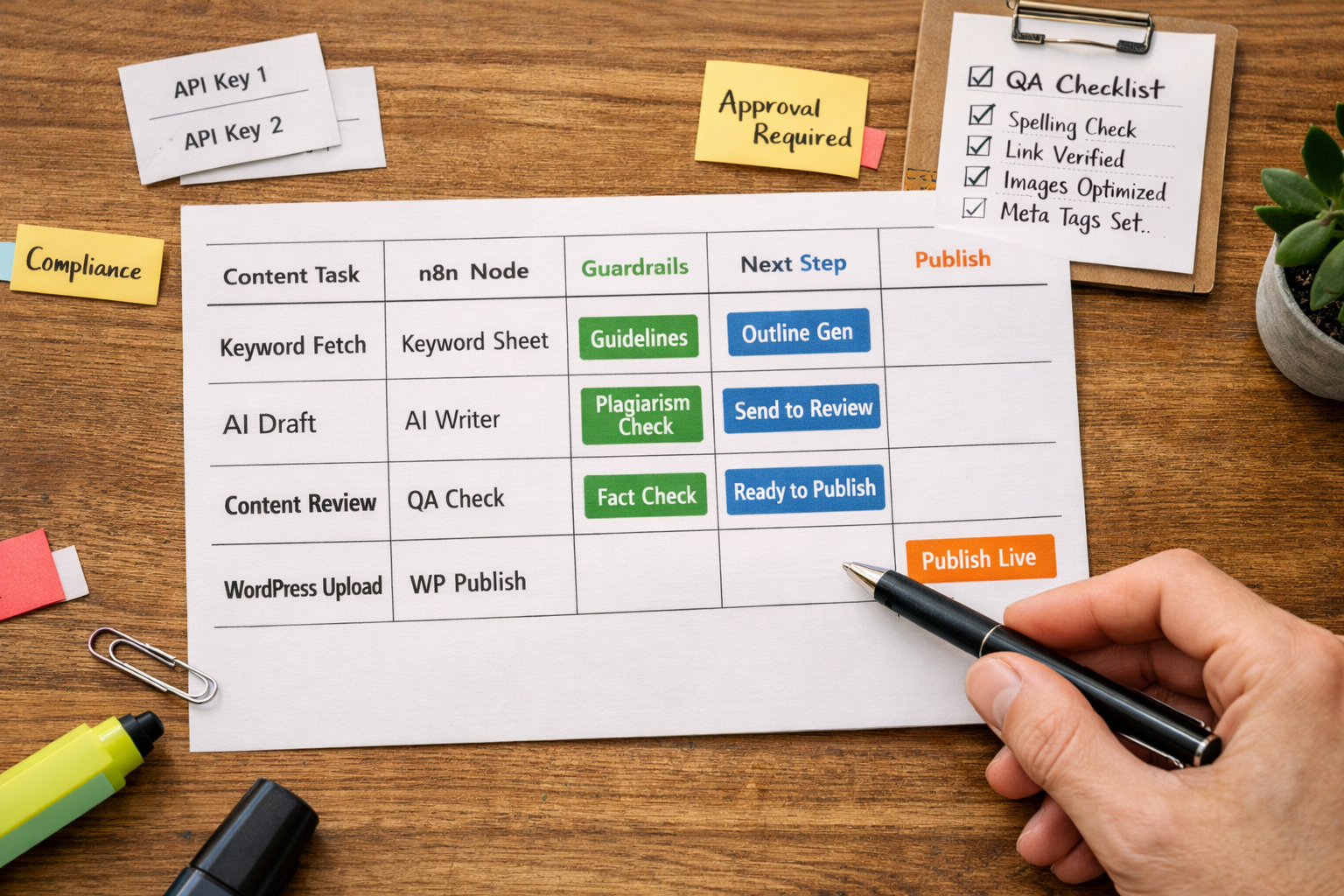
Quick-reference mapping: n8n nodes vs content tasks
Use this mapping as a cheat sheet when you’re building your first version or diagnosing a jammed run. It pairs common content tasks with the most dependable n8n building blocks and notes where to add guardrails.
| Content Task | Best-fit n8n Node(s) | Guardrails & Tips | Output to Feed Next Step |
|---|---|---|---|
| Schedule a daily batch | Cron | Use off-peak hours to reduce API contention; add jitter to avoid burst limits. | Run bundle with date stamp and batch ID |
| Pull keywords | Google Sheets / Airtable / PostgreSQL | Filter by status = "ready"; lock rows by batch ID during processing. | Array of keyword objects with metadata |
| Generate outline | AI node or HTTP Request to provider | Pass brand voice JSON; request H2/H3 skeleton only; cap tokens. | Outline JSON with headings and bullet points |
| Draft article | AI node + Function | Inject style rules; require 50–70 word opening answer; include link placeholders. | HTML or Markdown draft |
| Run QA checks | Function, Code, or external linter via HTTP | Score readability, link presence, length, banned phrases; attach scorecard. | QA score + flags for review |
| Human review | Email, Slack, or task tool webhook | Send diffs and approve/reject buttons; auto‐expire after X hours. | Approved HTML + publish directive |
| Images & meta | AI Image / HTTP to image service; Function for meta | Generate alt text from H2s; ensure licensing; compress before upload. | Image URLs/IDs + title/meta |
| Publish to WordPress | HTTP Request (REST API) | Create as draft if QA & review are borderline; map categories/tags explicitly. | Post ID + permalink |
| Publish to Shopify | HTTP Request (Admin API) | Confirm target blog ID; escape HTML; respect theme excerpts. | BlogArticle ID + handle |
| Publish to Wix | HTTP Request (Wix APIs) | Handle Collections vs Blog; ensure permissions are scoped correctly. | Item ID + URL |
| Notify & log | Slack/Teams + S3/Drive | Store full run JSON; mask secrets; include audit trail. | Dashboard event + archive |
Keep a living copy of this map in your repo or team wiki. When your provider changes API fields or rate limits, update the guardrails and broadcast the change. Small, documented tweaks prevent brittle pipelines.
What about quality control, plagiarism and bias?
Automations don’t absolve you from editorial standards—they make standards enforceable. Start with prompts that forbid false claims, require citations for figures, and avoid medical/financial advice unless reviewed by qualified staff. Then add a linter pass that detects long sentences, repetition, or uncanny phrasing and flags those for a human eye.
Plagiarism is best handled by strong inputs and purposeful prompts. Pull structured knowledge from your own pages and products, then instruct the model to reformulate, not copy. When quoting or paraphrasing, cite an authoritative source you actually checked. Google’s guidance on creating helpful content is explicit: usefulness and transparency trump tactics.
Bias and fairness require explicit attention too. Incorporate inclusive language rules, and avoid stereotypes in examples. Keep an audit trail of edits so reviewers can spot patterns. For compliance, make sure your personal data handling respects UK GDPR principles—consent, minimisation, purpose limitation—referencing the ICO’s UK GDPR overview. These checks fit neatly into n8n as pre‑publish gates.
Handling WordPress, Shopify and Wix differences
Each CMS has its own quirks. WordPress is flexible with a well‑documented REST API; ensure you map fields like title, content, excerpt, categories and featured media, and authenticate with application passwords or OAuth as appropriate. Handle slugs deterministically, and beware duplicate detection if you regenerate drafts.
Shopify treats blogs as part of the commerce stack. You’ll post to a specific Blog ID via the Admin API, and you may need to account for theme‑driven excerpts or reading time badges. Make sure HTML formatting is compatible with your theme’s components and that your apps (e.g., SEO plugins) pick up the right meta fields.
Wix offers APIs that may differ depending on whether you’re using the Blog module or Content Manager collections. Permissions are stricter; scope tokens carefully and test webhooks end‑to‑end before switching on daily runs. Regardless of platform, wrap requests in retry logic and log the returned IDs/permalinks for later updates or rollbacks.
If you’re centralising research and scheduling elsewhere, that’s where Epicurus One shines: one account can plan and auto‑publish across WordPress, Shopify and Wix or dispatch via Make/Zapier. You can still keep your n8n orchestration for bespoke steps while letting the platform manage calendars and permissions. When you brief the team, call out that this complements your full automated content creation blogs n8n flow rather than replacing it.
Running multiple sites and team permissions
Multi‑site operations introduce two challenges: config drift and access control. Solve drift by storing per‑site settings (API keys, categories, default authors, image sizes, link rules) in a single encrypted store and pass them into each run based on a site key. This keeps one workflow generic while allowing brand‑specific outputs without forks.
For access, separate who can approve content from who can change infrastructure. In n8n, this means reviewers never see secrets, and only admins can rotate keys. Follow security guidance on secret management (rotate frequently, avoid hard‑coding, prefer scoped credentials) as recommended by the UK National Cyber Security Centre’s secret management advice.
Epicurus One adds a pragmatic layer: team access controls, site‑by‑site permissions, and a calendar that shows who owns what and when. That means an editor can reschedule or approve without touching any underlying integrations. If you’re using Make or Zapier alongside n8n, keep a single inventory of where each site publishes from to avoid accidental double‑posting.

Finally, standardise incident playbooks: what to do if a CMS API 401s, if duplicates appear, or if an editor flags a tone issue. Put these in a runbook, link it from your notifications, and run a quarterly fire drill. Confidence grows when everyone knows exactly what to do when the unexpected happens.
Frequently Asked Questions
Can I run this without coding experience?
Yes—n8n’s visual builder reduces the need for code, and most steps are configuration rather than custom functions. That said, having someone comfortable with JSON, APIs and basic JavaScript will speed setup and troubleshooting. Pair a technically minded marketer with a developer for the first build, then document everything so the team can maintain it.
How do I prevent duplicate posts?
Assign a deterministic slug per keyword and check for existing posts before creating a new one. Store a fingerprint (e.g., slug + site ID) in your sheet or database and verify it at the start of each run. If a duplicate is detected, update the existing post or mark the item as “published” and stop processing.
What model should I use for drafting?
Pick a model approved by your legal/security teams and test it against your brand voice rules. Focus on controllability (responds to structure), cost predictability, and latency. Keep prompts small and modular, and store them in version control. Whichever you choose, wrap it in QA gates and human review paths for edge cases or sensitive topics.
How often should we publish?
Consistency beats volume. Choose a cadence your team can sustain with quality—weekly is a common starting point. Use your calendar to test different frequencies per category, then review impact on engagement and editorial workload. If quality dips or approvals bottleneck, prioritise fewer, better posts until the process is smooth again.
Is this compliant with Google’s guidelines in 2026?
Google focuses on helpful, people‑first content. Automation is fine if the end result is valuable, accurate and transparent. Bake this into prompts and reviews, cite authoritative sources where useful, and ensure edits are tracked. Their current helpful content guidance remains the best reference for teams in 2026.
Take the grind out of publishing. Plan topics, keep brand voice tight, and auto‑publish to WordPress, Shopify or Wix. Start your free Epicurus One trial and get daily articles during your 3‑day trial.