Keyword Research & Strategy With Keyword Planner: A Complete 12-Step Workflow
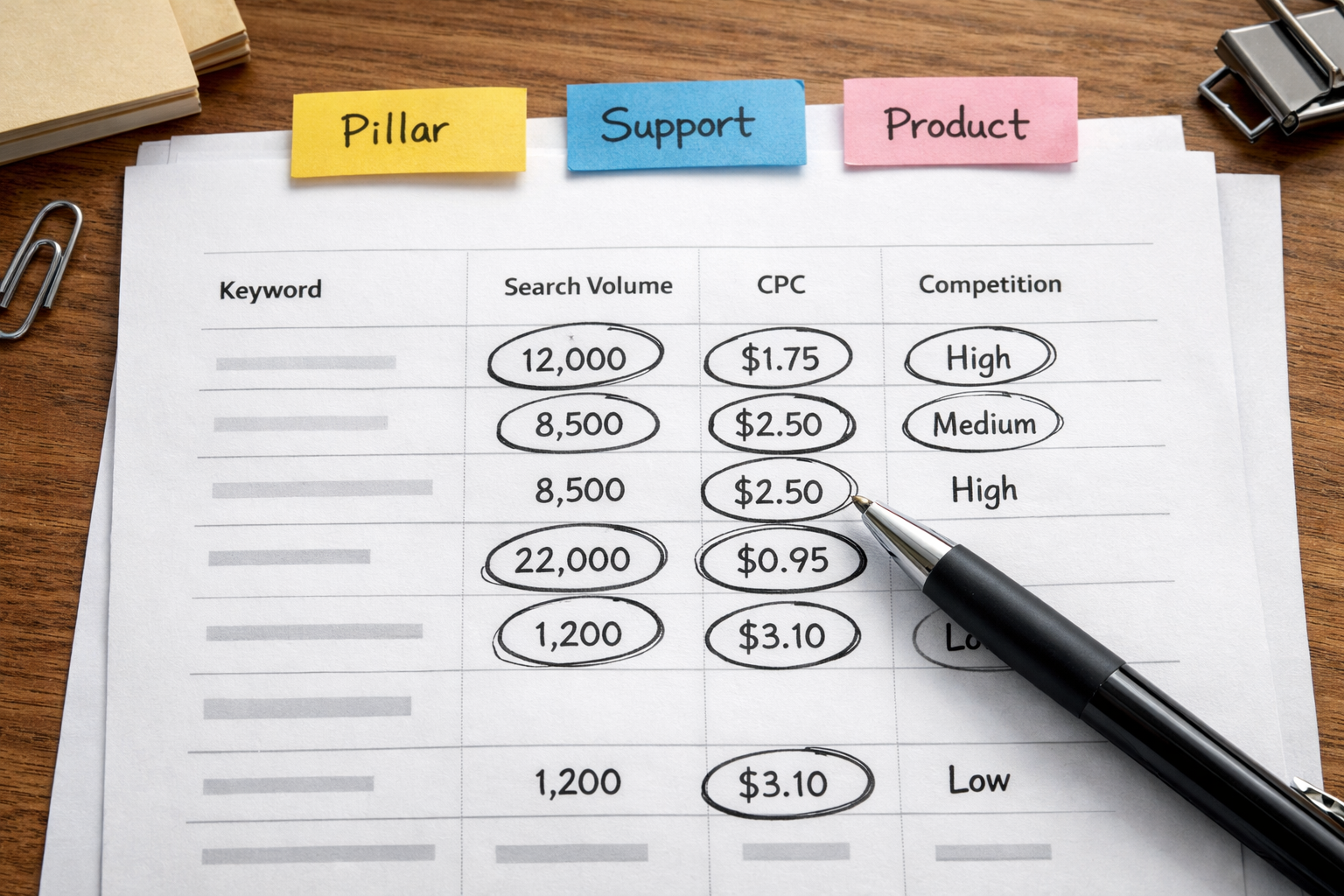
If you want fast, reliable results, build your plan around keyword research & strategy with keyword planner, then connect the dots to content clusters, publishing cadence and measurement. Below is a practical, step-by-step workflow you can apply today, whether you manage one site or a portfolio spread across WordPress, Shopify or Wix.
Step-by-Step: Keyword Research & Strategy With Keyword Planner
This core section walks you through a complete, repeatable process. It starts by clarifying your goals, then moves through setup, discovery, filtering, clustering, prioritisation, content mapping, scheduling and measurement. Use it end-to-end the first time; afterwards you can dip back into specific steps for quarterly refreshes or niche projects.
- Define measurable goals. Decide whether you’re optimising for revenue, leads, demo sign-ups or newsletter growth. Set targets such as “10 qualified enquiries per month from organic” rather than vague wishes. Your keyword choices and intent splits will flow from this.
- List seed terms from real customer language. Pull phrases from support tickets, on-site search, product reviews and sales call notes. Avoid internal jargon. If customers ask “how to size running shoes,” that’s your seed—use it even if your internal team says “fitment guidance.”
- Open Google’s Keyword Planner in an Ads account. You don’t need to run ads to use it. Choose “Discover new keywords,” paste your seed terms and, if relevant, your site URL so Google can refine suggestions. Set your country and language to where you sell.
- Use filters for reality, not vanity. Sort by Average Monthly Searches, then add filters for realistic Competition and CPC ranges. High CPC can signal commercial intent, but don’t dismiss medium CPC if it aligns to your funnel top.
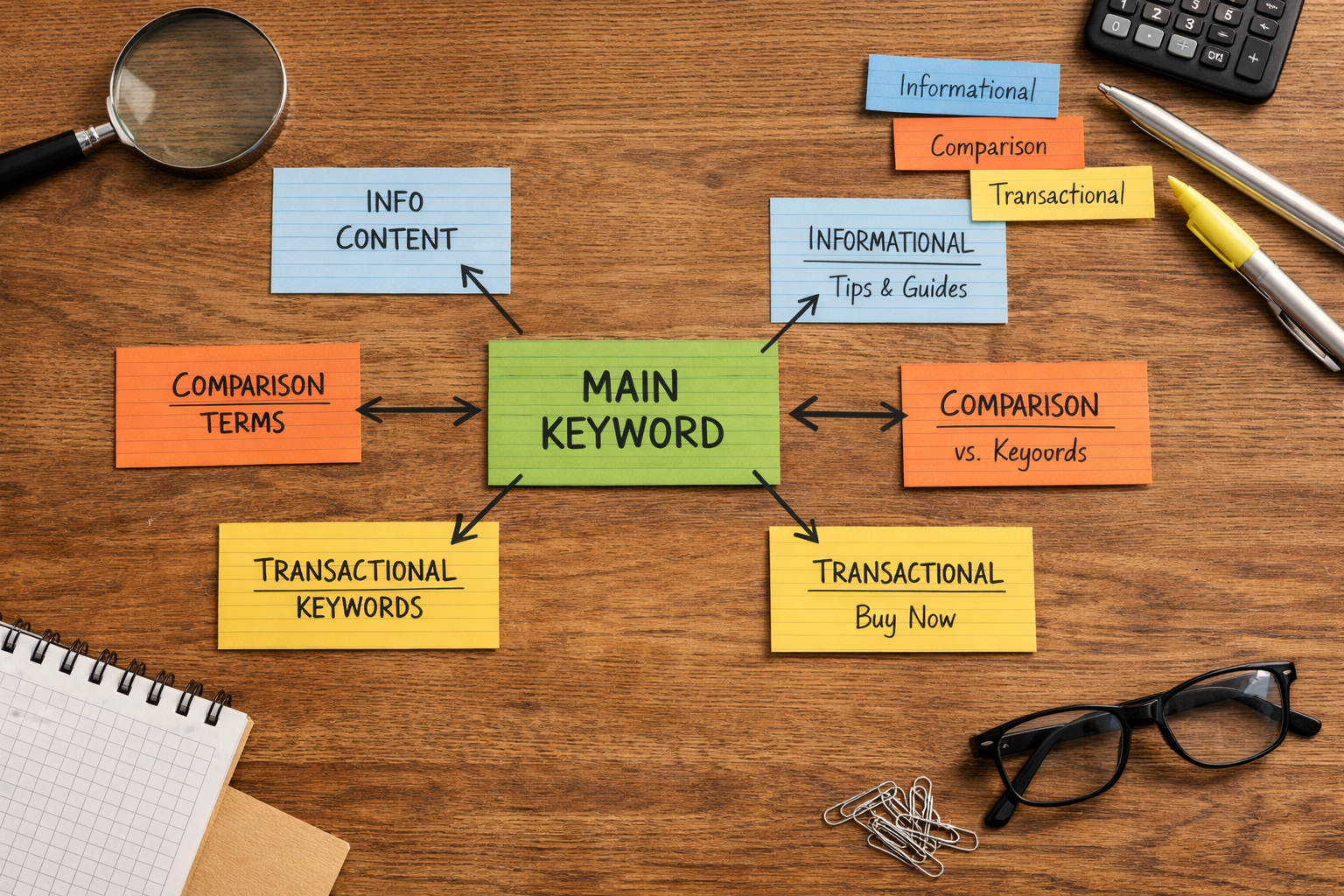
- Group by themes using close variants. Planner merges close variants; export your ideas and sub-group them by clear intent: informational (learn), navigational (brand), transactional (buy/book), and commercial investigation (compare).
- Cross-check SERPs for intent confirmation. For each theme’s top keyword, Google it in an incognito window. If you see product cards and shopping packs, it’s transactional; if you see guides and how-tos, it’s informational. Align your future page type to that intent.
- Score opportunities. Create a simple score: (Normalised Volume x 0.4) + (Relevance x 0.4) + (Difficulty Inverse x 0.2). “Relevance” is your judgement; “Difficulty Inverse” can be a rough sense from the authority of current top-ranking domains.
- Map keywords to page types. Pillar guides take core informational phrases; supporting articles target long-tail variations; product/category pages take transactional terms. Avoid cannibalisation by giving each high-intent term a single canonical page.
- Draft content outlines from the SERP. Note headings common to the top five results, questions from People Also Ask, and any featured snippets. Design outlines that answer those questions better and faster, then add unique angles (original examples, calculators, policies).
- Plan internal links across the cluster. From every supporting article, link upward to the pillar using descriptive anchors. From the pillar, link down using short, specific anchor phrases. This builds topical authority and distributes PageRank.
- Calendarise production. Sequence from low-effort, high-impact pages to momentum-builders. Publish consistently—weekly or bi-weekly beats sporadic bursts. Pencil in technical refresh cadences every 90–120 days for priority pages.
- Measure, learn, iterate. In Search Console, create a filter per cluster. Watch impressions, average position, clicks and CTR. Slide outlines, add missing subsections and adjust anchors based on queries that emerge post-indexing.
Document your decisions at each step. When you revisit the plan or expand to new regions, you’ll move faster with fewer mistakes.

What business goals does your keyword plan actually serve?
Every list of keywords is political: it encodes trade-offs between brand, short-term revenue, and long-term authority building. Before you start spending hours in research tools, cut through noise by linking each keyword to a business goal. Three simple categories will tame the chaos: revenue, pipeline and awareness. Revenue keywords are tied to products, bookings or pricing pages; pipeline keywords tilt toward comparison and buyer’s guides; awareness keywords explain concepts or solve upstream problems that your product happens to fix.
For a small e‑commerce brand, revenue terms sit close to the product catalogue. For a B2B services firm, pipeline might be your north star because sales cycles are long and you need MQLs more than immediate transactions. The discipline is to tag each candidate with one goal and one primary page type. If a phrase conceivably fits three parts of the funnel, that’s a warning—split it into variants or commit it to a single intent and write the rest as supporting subsections or separate posts to avoid cannibalisation.
Goals also set your tolerance for lag. Awareness content compounds: results can take months but pay you back in topical authority. Revenue phrases are faster to grade (add to cart, contact form), but often costlier in production because they demand stronger UX, trust signals and sometimes structured data. Assign effort realistically. Your plan is successful when those goal tags can be read off your analytics dashboards: you should be able to say, “these five awareness pieces lifted impressions by 30% across the cluster while two pipeline guides generated five qualified calls.” In short, your keyword plan is a strategy document, not a spreadsheet of words.
How do you judge search intent and choose the right page type?
Intent is the hinge that turns keyword lists into effective pages. Two phrases with similar volumes can demand entirely different endpoints. When people search “best accounting software for freelancers,” they expect comparisons; searching “accounting software login” expects navigation; “what is double-entry bookkeeping” wants a clear explainer. Get the intent wrong and you won’t rank—or worse, you’ll rank and still fail to convert.
Use a quick rubric that blends Keyword Planner signals with a SERP sniff test. CPC and Competition hint at commercial pressure; the results page reveals the expected content format. Map each to a page type and action using the table below.
| Intent | Typical SERP Signals | Planner Cues | Recommended Page Type | Primary Action |
|---|---|---|---|---|
| Informational | How-to guides, definitions, PAA boxes, long snippets | Lower CPC, mixed Competition | Pillar guide + supporting articles | Newsletter sign-up, soft CTA |
| Commercial Investigation | Listicles, comparisons, “best” roundups, videos | Mid–high CPC, higher Competition | Comparison page or buyer’s guide | Demo/trial, product discovery |
| Transactional | Product cards, shopping results, local packs | High CPC, high Competition | Product/category or service page | Buy/book/enquiry |
| Navigational | Brand site links, site links pack | Varied CPC, brand affinity | Homepage or login/feature page | Land on the right section fast |
To deepen your approach, build topic clusters around core intents. If you’re new to clustering or want a deeper checklist that spans beginner through expert, bookmark the guide on the best keyword research strategy and layer its structure onto your Keyword Planner outputs. Finally, sanity-check the format bias in your niche: many verticals prefer video or tools. If top results are calculators, add a calculator; if they’re long guides, design an outline with clear sections and a scannable table of contents.
Should you trust Keyword Planner volumes at face value?
Google’s Keyword Planner is designed for advertisers, not SEOs, so treat volumes and competition with caution. Planner often groups close variants and rounds averages. That makes it brilliant for direction and budgeting but imperfect for granular forecasting. Use it to sort big from small opportunities, then cross-check against live SERPs and your own analytics once pages index.
Two practical cautions. First, “Competition” in Planner reflects advertiser density, not SEO difficulty. High advertiser competition correlates with commercial value, but SEO difficulty depends on the strength of ranking pages. Second, CPC is a signal of value, not a guarantee of organic conversion; your content and UX must still earn the click and the action. Google documents how Keyword Planner aggregates data and how you can refine locations and languages—read their official guidance on Keyword Planner to understand the knobs and dials.
For macro sense-checks, triangulate with industry data. If you’re prioritising a UK audience, the Office for National Statistics’ internet and industry reports can help contextualise addressable demand. Use that backdrop to calibrate your expectations, then let Search Console prove the real picture after publishing. Most importantly, revisit volume estimates quarterly; seasonality and new product launches can move demand quickly.
Building topical authority: cluster your plan and calendarise output
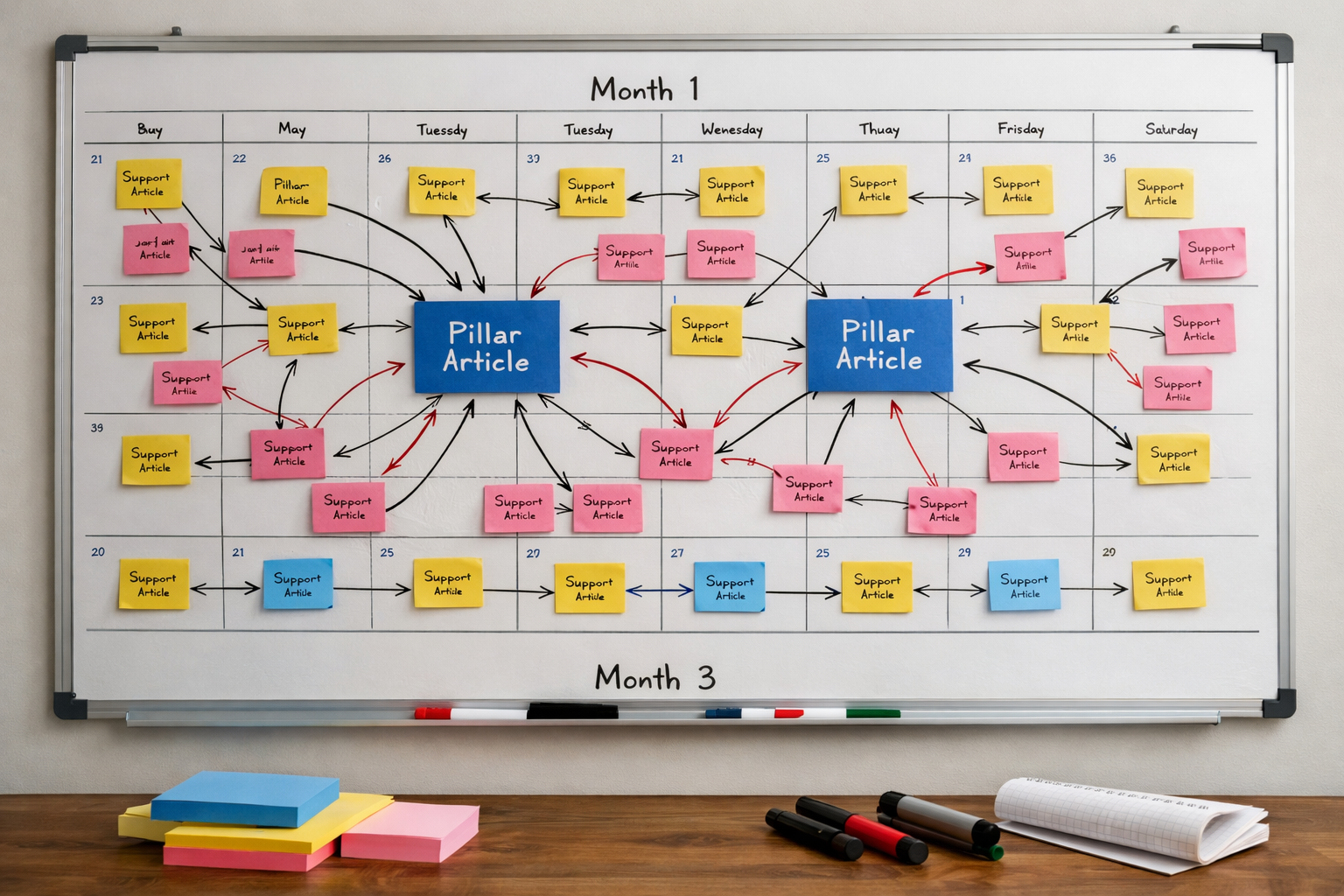
Topical authority tends to beat sporadic, disconnected posts. Clusters—one authoritative pillar supported by a lattice of focused subtopics—give search engines confidence you cover a theme comprehensively. Start by picking a pillar that sits at the heart of your service or product and has clear long-tail offshoots. Then, design a publishing cadence that covers the cluster swiftly enough to create momentum without sacrificing quality.
A practical approach is to structure a 6–12 week sprint per cluster. In week one, publish the pillar and two supports that answer the most obvious People Also Ask questions. In weeks two and three, tackle comparison content and a couple of bottom-of-funnel FAQs tied to your product pages. By week six, you should have internal links woven through the set, and by week eight you can begin updating the pillar based on early query data. If you need help choosing the scheduling tool that won’t slow your team down, see this myth-vs-fact explainer on content calendars.
Clusters are also where brand voice matters. Even for technical topics, lead with clarity and specificity in your introductions, then add examples rooted in your audience’s reality. If your customers are independent retailers, use their vocabulary and pain points, not enterprise jargon. Make each piece uniquely useful: include short checklists, mini tables, or a calculator where relevant. That extra utility creates natural internal link targets and earns bookmarks—small signals that add up.
Automating production and publishing without hiring an agency
Once your plan is set, execution speed becomes the constraint. This is where automation helps you stay consistent without growing a content department. If you use keyword research & strategy with keyword planner to shape clusters, a platform like Epicurus One can carry that intent into production and publishing. It connects directly to WordPress, Shopify and Wix, and can publish via Make or Zapier, so one account can push articles to multiple sites on a predictable cadence.
In practical terms: import your clustered keywords and page outlines, set the publishing order and cadence in a drag-and-drop calendar, then enable auto-publishing with the right categories and tags per site. Team access controls keep workflow tidy across stakeholders. If you want a fuller walkthrough that covers end-to-end posting, the playbook on automated content creation and posting is worth a read. When you’re ready to move from planning to shipping, you can Start free trial and receive daily articles during a 3‑day test run.
Finally, respect data protection and consent wherever your workflow touches user data. If you enrich your content with first-party insights, review the UK GDPR guidance to keep your processes compliant in 2026 and beyond. Clean data habits protect both your users and your long-term search performance.
How to measure impact and iterate with confidence?
Measurement is where your plan becomes a feedback loop. In Google Search Console, group URLs by cluster using page filters or a regex. Track four lines week-on-week: impressions (coverage), clicks (traction), average position (competitiveness) and CTR (compelling snippets). Rising impressions without clicks suggests your titles or meta descriptions need work; flat impressions but rising position can mean you’re pushing into competitiveness but still undercrawled or underlinked.
Marry this with your Keyword Planner view every quarter. If a cluster underperforms despite solid publishing, re-check search intent in the live SERP and compare title/meta patterns to the top five results. Add missing subheadings, FAQs, or a short comparison table if those formats dominate. Conversely, if a page attracts queries adjacent to your original target, spin off a focused support article and link both ways. For more detail on the reports that matter, review Google’s overview of the Search Console Performance report.
Set thresholds for action. For instance, if a page sits between positions 8–15 for four weeks with healthy impressions, it’s a candidate for an internal link boost from high-authority pages or from the homepage footer for a sprint period. If after two refresh cycles performance stalls, reassess whether the intent match is off or whether your domain strength isn’t yet sufficient—shifting the piece into a different cluster can sometimes unlock relevance signals.

Common pitfalls and how to avoid them
Even well-prepared teams stumble. The most common mistake is treating Keyword Planner as an oracle rather than a compass. Use it to rank opportunities, not to promise outcomes. Another frequent misstep is duplicative targeting—two articles competing for the same head term dilute signals and confuse internal linking. Keep a single source of truth where every target term maps to one canonical URL and a few synonymous anchors.
Beware thin supporting content. A cluster of ten 400-word posts won’t make a weak pillar strong. Make support pieces uniquely valuable: answer a specific sub-question, add a short checklist, include a single, tight example, and link onward. Technical drift is also real: pages can slip in speed and accessibility as you add embeds and images. Schedule technical hygiene days to compress images, fix heading structures and refresh schema.
Lastly, underestimate maintenance at your peril. Markets shift, competitor content evolves, and featured snippets get rewritten. Build a refresh muscle: review titles and intros quarterly; extend sections that earned impressions for new queries; prune outdated screenshots or references. If you treat publishing as the finish line, the SERP will remind you quickly that it’s only the start.
Worked example: from seed phrase to a 90‑day plan
Imagine a 40‑person accounting firm in Manchester launching a new SME advisory service. The team starts with seeds like “small business cash flow,” “SME tax planning,” and “accounting software setup.” They open Keyword Planner, set targeting to United Kingdom and English, and paste the seeds. After exporting the list, they cluster around three pillars: Cash Flow Basics, SME Tax Calendar, and Accounting Software Migration.
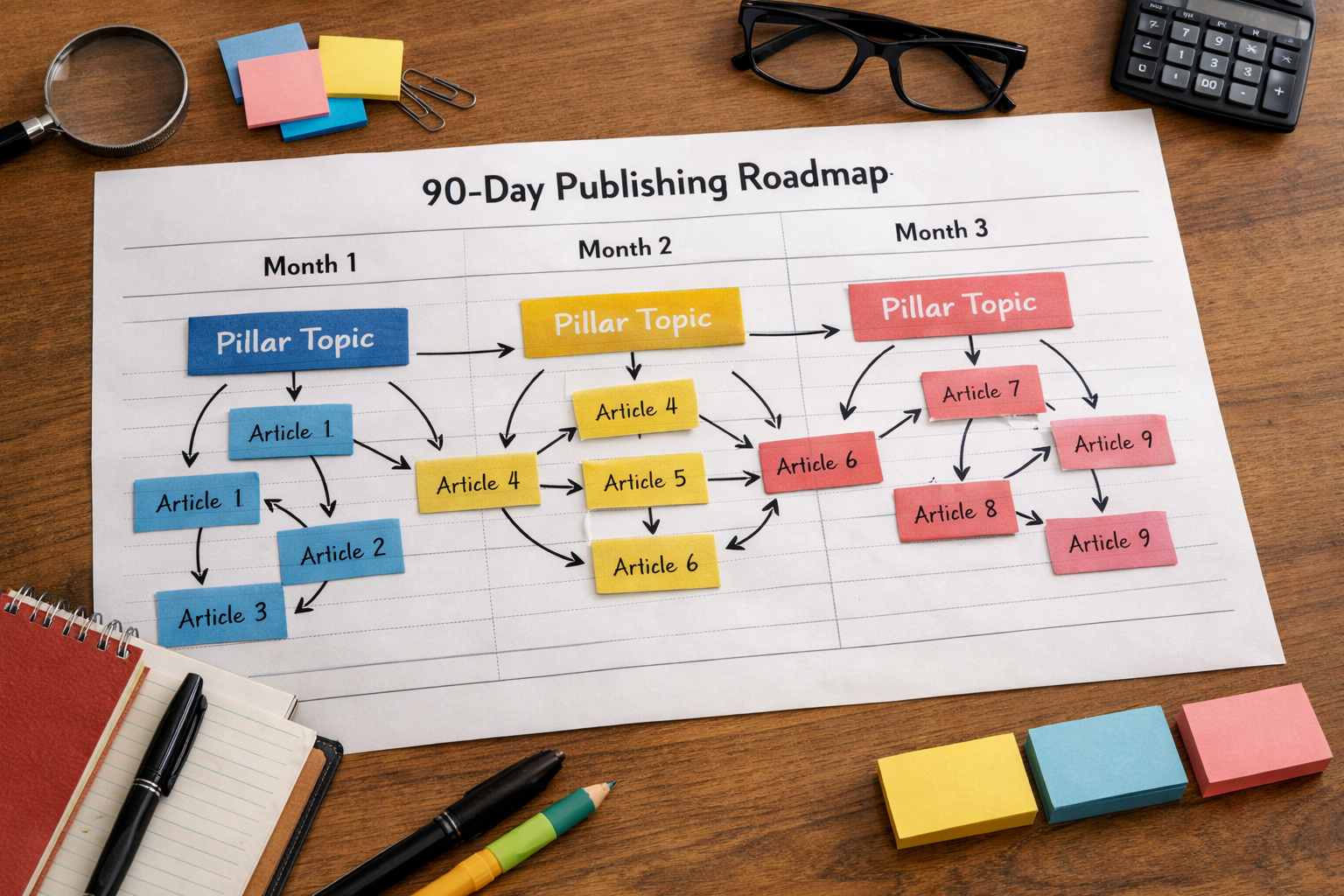
They validate intent: “cash flow forecast template” pulls guides and templates (informational), “best accounting software for SMEs” surfaces listicles (commercial investigation), and “Xero setup service Manchester” shows service pages (transactional). They score each group, prioritising the Cash Flow cluster first because it spans multiple sub-questions and suits helpful tools. The plan becomes a 90‑day calendar: weeks 1–2 publish the pillar guide plus two supports (template and step‑by‑step how‑to); weeks 3–4 add a comparison of spreadsheet vs software and a glossary; weeks 5–8 cover tax calendar FAQs; weeks 9–12 ship software migration pages and a case‑study style explainer.
As they execute, the project lead maps each keyword to one URL and tracks the cluster in Search Console. After four weeks, impressions rise for terms they didn’t target explicitly—“12‑month cash flow example.” They spin up a focused supporting article and link it under the main template section. The cycle repeats. In this way, keyword research & strategy with keyword planner anchors the plan, while on‑page iteration and internal links carry it forward.
Frequently Asked Questions
Do I need an active Google Ads campaign to use Keyword Planner?
No. You need an Ads account, but you don’t have to run paid campaigns to access Keyword Planner. Some detailed data is more granular for spending accounts, yet the tool remains useful for discovery and sorting opportunities in 2026 without any ad spend.
What’s a good publishing cadence for small teams?
Consistency beats volume. One high‑quality post per week can outperform sporadic bursts. For clusters, aim to cover the pillar and 3–5 supports within eight weeks. If you’re automating parts of the workflow, you may sustain two posts weekly without sacrificing quality in 2026.
How accurate are the search volumes in Keyword Planner?
They’re directional, not precise. Planner groups close variants and reports averaged ranges. Treat the numbers as a way to rank priorities, then validate with live SERPs and Search Console after publishing. Revisit estimates quarterly to account for seasonality and shifts in demand in 2026.
Should I target “best” keywords if I don’t do affiliate content?
Yes, if they fit your funnel. “Best” queries signal comparison intent. You can create a neutral, criteria‑led buyer’s guide that showcases your solution fairly. Be transparent about biases and provide decision checklists—these pieces often bridge awareness and pipeline.
How do I avoid keyword cannibalisation across clusters?
Maintain a single map where each target term has one canonical URL. Use synonyms and long‑tail variations for supports, linking back to the main page with descriptive anchors. If two pages start ranking for the same term, consolidate or re‑target one to a distinct sub‑topic.
Ready to Put This Into Practice?
Scan your site in about 10 seconds, turn your clusters into scheduled drafts, and auto‑publish to WordPress, Shopify or Wix. Start a 3‑day trial that delivers daily articles and proves the workflow. Start free trial.