Keyword Research Tool SEO Content Strategy: How to Choose and Use One
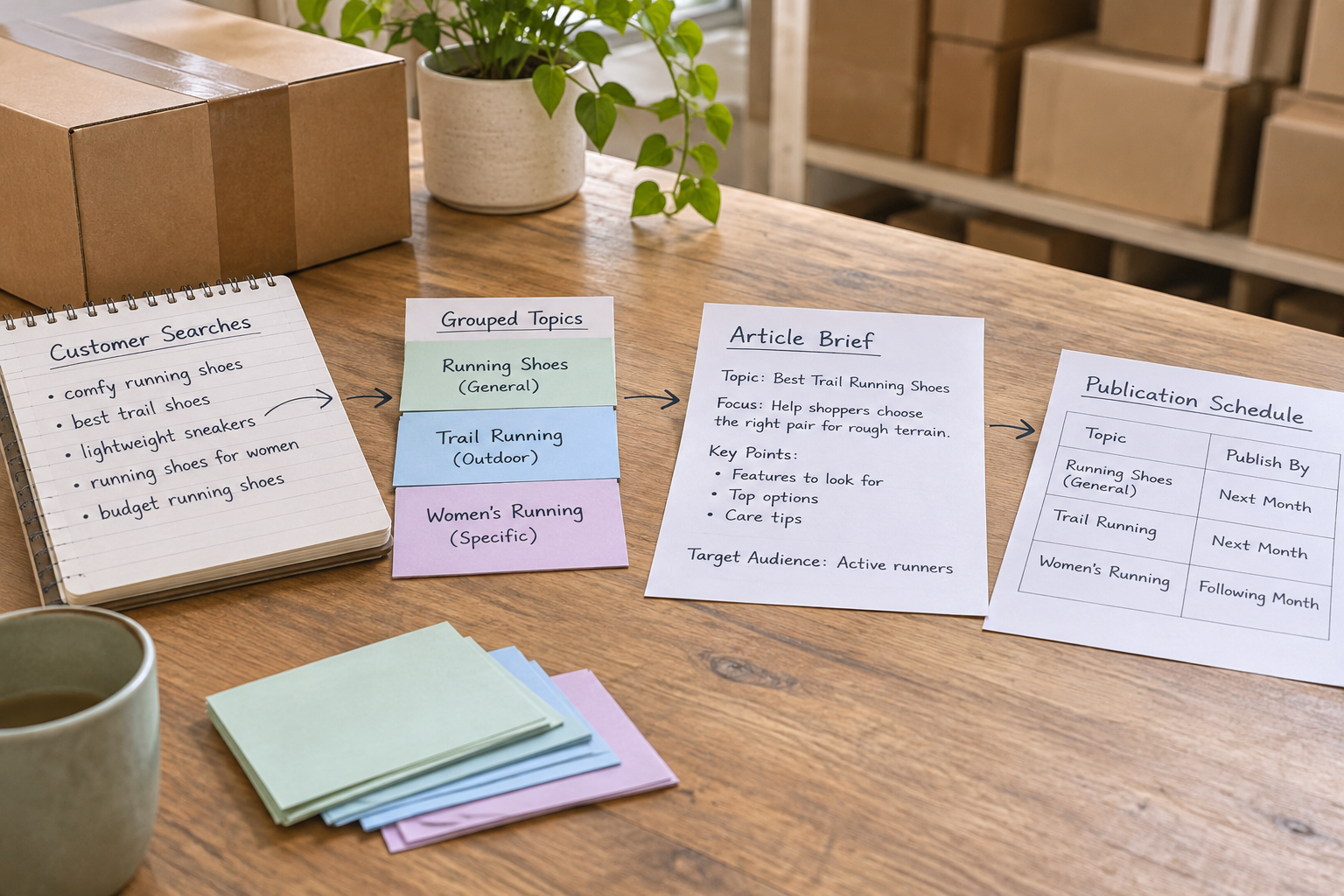
A keyword research tool SEO content strategy uses search data to decide which topics to cover, which pages to improve and what to publish next. The tool provides clues about what people search for; your strategy adds business priorities, customer knowledge and editorial judgement. Together, they help a busy team plan useful content rather than publish articles at random.
What Does a Keyword Research Tool SEO Content Strategy Involve?
A keyword research tool helps you discover and assess phrases people might use when looking for information, products or services. An SEO content strategy turns that research into decisions: which audience to serve, what questions to answer, which existing pages need attention and how to organise future work.
The distinction matters because a list of keywords is not a plan. A phrase can look promising in a tool but be irrelevant to your customers, too broad for one page or better handled by improving something you have already published. Equally, a useful customer question may not appear prominently in a keyword database.
Start with a business objective, such as helping prospective customers understand a service. Then use research to identify related questions and check the pages already appearing in search. Choose a page type that answers the need: a service page, product category, tutorial or comparison, for example. Finally, assign an owner and a review date so the idea becomes work your team can actually complete.
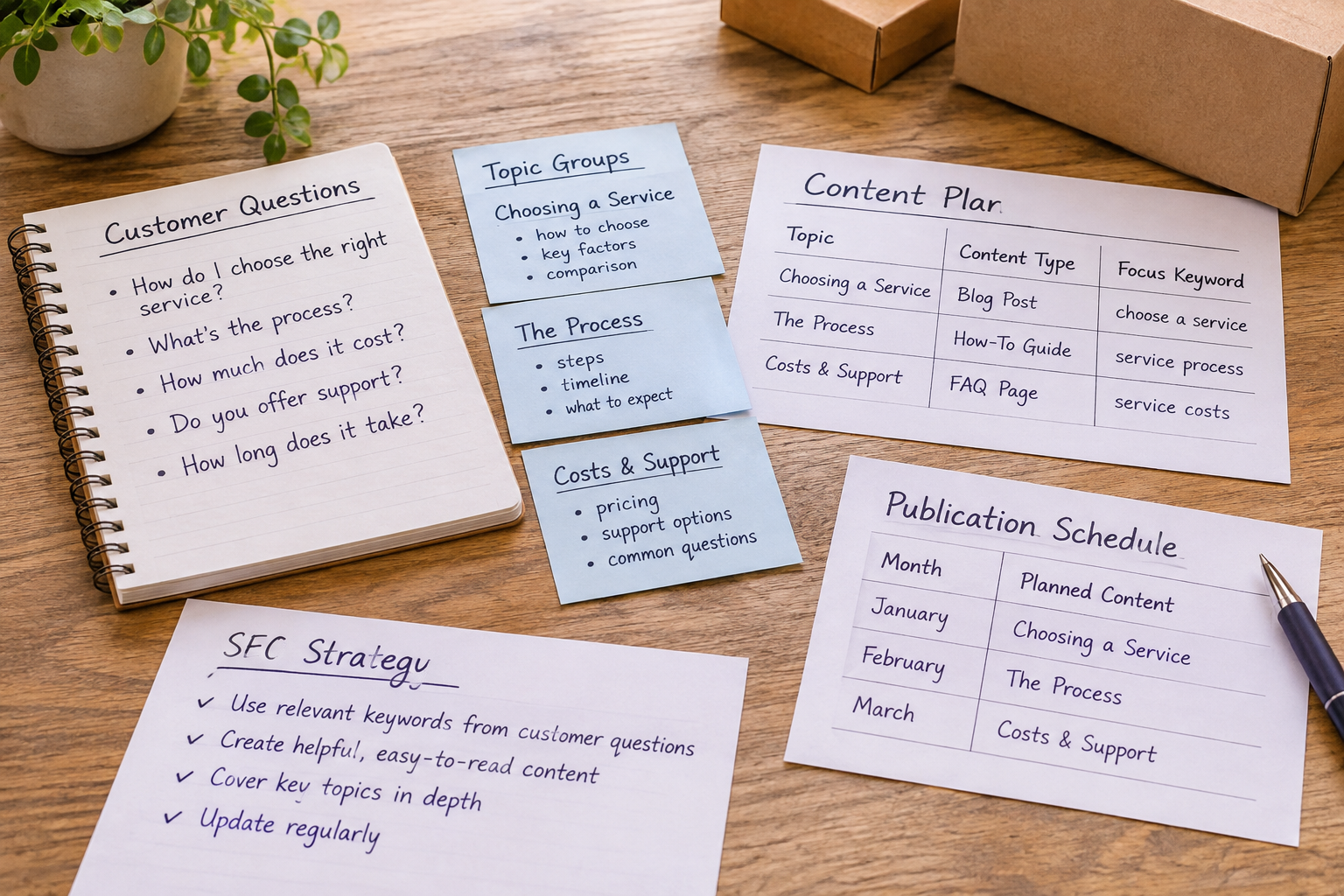
For a broader process, the keyword research strategy checklist covers the steps from initial ideas to prioritisation. Use it alongside your own customer conversations and website knowledge, rather than treating any checklist as a substitute for them.
How Do You Choose the Right Tool?
Choose a tool according to the decisions you need to make and the work you have time to do afterwards. A small business planning a few service pages has different needs from an agency coordinating content across client websites. Neither necessarily needs every available metric.
| Capability | Why it matters | What to check |
|---|---|---|
| Keyword discovery | Finds related topics and customer questions. | Can you explore ideas relevant to your services and locations? |
| Search demand estimates | Helps compare potential interest across topics. | Is the data available for your target market, and is it presented as an estimate? |
| Search results context | Helps you judge what kind of answer people may expect. | Can you inspect current results for a phrase? |
| Planning and collaboration | Turns research into assigned editorial work. | Can your team organise topics, responsibilities and publication dates? |
| Publishing workflow | Reduces the manual work between a draft and a live page. | Does it connect to your website or an integration you already use? |
| Reporting | Helps you review what happens after publication. | Can you connect the topic to relevant search and business outcomes? |
Test a prospective tool with a genuine topic rather than a generic demo. Ask it for ideas related to one of your services, then check whether the suggestions make sense for your customers. See how easy it is to save, group and revisit them. If the tool creates content as well, review a draft for accuracy, tone and usefulness before deciding how it fits your workflow.
Also check what is included in the plan you are considering, whether research is limited to certain markets and how access works for colleagues or clients. A feature list is less useful than knowing whether your team can move from an idea to a publishable page without losing important context.
Where Should You Find Your First Keyword Ideas?
Begin with the language your customers already use. Sales enquiries, support messages, site search terms and conversations with frontline staff can reveal concerns that a broad tool search may miss. Remove personal information before sharing customer material with a team or a software service.
Next, write down your main services, products and audiences. For each, consider what someone needs to know before taking the next step. A business offering roof repairs, for example, might explore questions about identifying a leak, arranging an inspection and understanding repair options. These are starting points, not a promise that any particular phrase has measurable demand.
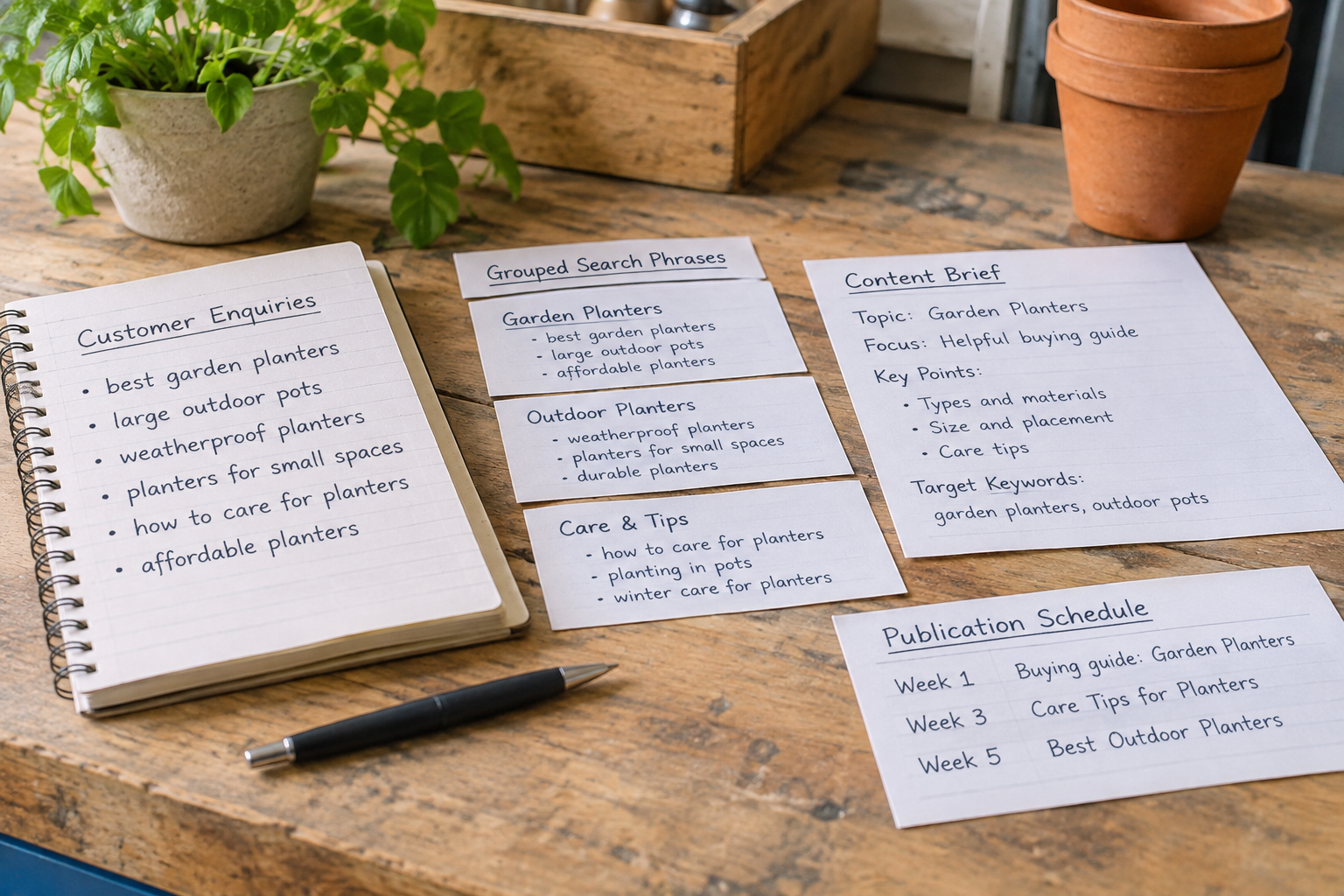
Expand those ideas in your chosen research tool and examine the results yourself. The Google Search guidance on helpful content recommends focusing on content created for people. That is a useful test for every idea: would a reader leave with the answer they came for, or would the page exist mainly to target a phrase?
Look at your own site before adding anything to the calendar. An existing service page may need a clearer explanation, while an older article might answer part of the question already. Updating and consolidating relevant material can be more sensible than creating another page on a near-identical subject.
How Do You Turn Keywords Into Content Priorities?
Group phrases by the underlying job the reader is trying to do. Someone investigating a problem may need a practical explainer; someone comparing solutions may need a balanced comparison; someone ready to enquire may need a clear service page. Search intent is a working judgement, not a label that every tool will assign identically.
Inspect current search results for a sample of phrases in each group. Note whether they mainly contain guides, local businesses, product pages or a mixture. Results can change and may vary by location, so use this as context rather than a guarantee about what will rank. If the results differ substantially, two similar-looking phrases may deserve different treatments.
Prioritise each potential page using a few practical questions:
- Relevance: Does the topic connect naturally to a customer need and your offering?
- Intent: Can you give the kind of answer the searcher appears to want?
- Existing coverage: Is there already a page you could improve instead?
- Evidence and expertise: Can your team provide accurate, specific information?
- Effort: Can you research, review and maintain the page with available resources?
- Potential value: Could the page support an appropriate next step, even if the reader is not ready to buy?
Hypothetical example: A digital agency managing a local retailer's site finds ideas about choosing a product and caring for it. The agency first checks the retailer's existing category and advice pages. It may decide to improve the category page for shoppers and schedule a separate care guide for owners, provided the retailer can check the advice. The decision follows the audience's needs, not just the apparent popularity of each phrase.
A simple priority label such as now, later or not relevant is often enough to start. Record the reason alongside it. When plans change, that note helps a colleague understand whether an idea was postponed because of limited expertise, overlapping content or a more urgent business priority.
What Should Go Into a Content Brief and Calendar?
A content brief translates the research into instructions a writer, editor or automated workflow can use. Keep it concise, but include enough context to prevent a generic article. Define the audience, the problem they need solved, the intended page type and the main question the page should answer.
Add related questions only when they help the reader. Include relevant internal pages, subject-matter contacts, source requirements and any claims that need checking. Specify the desired next step, such as reading a service page or contacting the business, without forcing a sales pitch into every section. If the topic concerns a regulated or sensitive subject, identify who will review it before publication.
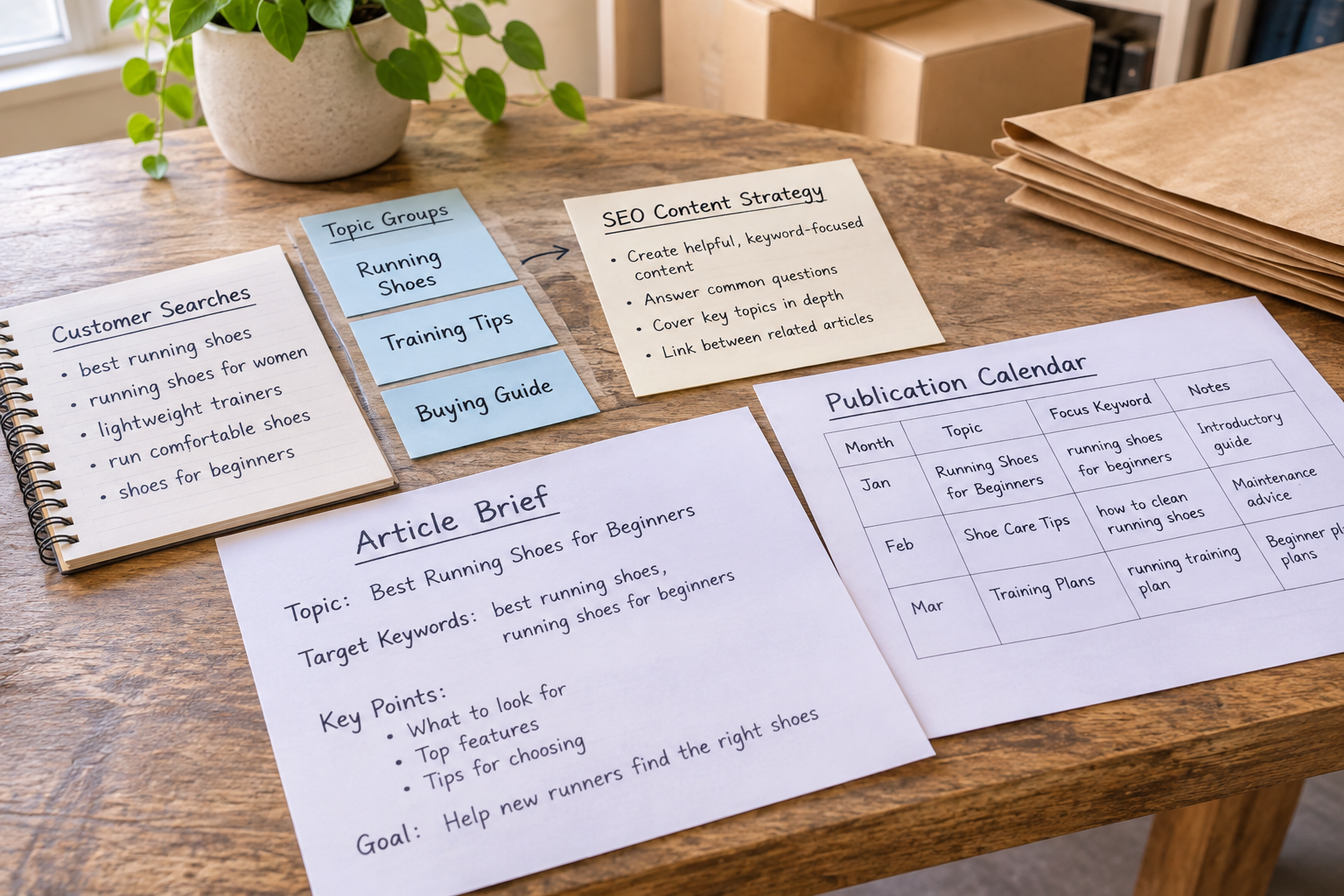
Your calendar should show more than a publication date. Add the page owner, research and review status, target website, planned URL and any dependency that could delay the work. For agencies, record the client approver and the brand guidance that applies. A drag-and-drop calendar can make rescheduling easier, but it does not replace clear ownership.
Set a realistic cadence based on the time available for fact-checking and maintenance. A smaller number of useful, reviewed pages can be easier to sustain than a schedule that leaves the team unable to check what goes live. Leave room for updates when services, product details or customer questions change.
Can You Automate Research and Publishing Without Losing Quality?
Automation can reduce repetitive work, including collecting keyword ideas, producing drafts, organising publication dates and transferring content to a website. It does not establish that every claim is accurate or that an article reflects your business. Decide which tasks the software can handle and which require a person with relevant knowledge.
Before publishing, review the draft against the brief. Check factual statements and links, remove unsupported claims, confirm the advice applies to your audience and make sure the page has a clear purpose. Review titles and headings for clarity rather than inserting the same phrase everywhere. If a draft cannot be checked confidently, revise or hold it until it can.
Epicurus One combines keyword research, article creation, a drag-and-drop content calendar and auto-publishing. It connects directly to WordPress, Shopify and Wix, and can publish via Make or Zapier. Teams can manage multiple sites from one account and use access controls to organise their work. Check the draft and integration settings for each site before relying on a scheduled workflow.

If you want to explore the workflow, you can scan a site free in about 10 seconds and start a three-day free trial that delivers daily articles. Use the trial to assess whether the research, writing and publishing process suits your site and review capacity.
For a closer look at the publishing stages, read the automated content creation and posting playbook. It is especially useful when deciding where a human review should sit between a generated draft and a live page.
How Do You Measure and Improve the Strategy?
Set expectations before publication. A useful measurement plan connects each page's purpose with an observable action. For an educational guide, that might mean examining whether it receives relevant search visits and helps readers find a related resource. For a service page, it might mean looking at enquiries as well as search visibility. Interpret those signals together rather than assuming that a visit alone proves business value.
Google Search Console can help site owners understand search performance and identify queries and pages worth investigating. Review trends over a suitable period, remembering that search results and demand change. Search data is not a complete account of every customer's journey, and a page may contribute to a decision without being the final page visited before an enquiry.

When reviewing a page, ask what has changed since it was published. Are its examples still accurate? Does it answer the question suggested by the queries bringing people to it? Is the next step clear and relevant? If an article is attracting the wrong audience, revise its focus where appropriate rather than adding unrelated keywords.
Keep a simple maintenance queue: update inaccurate details first, improve pages with a clear gap, and consider consolidating overlapping content. Record the change and review it later. Avoid attributing every movement in search performance to a single edit; other factors may be involved.
See the Research Process in Practice
A demonstration can help you visualise how to move from a broad topic to a shortlist of useful page ideas. Look for an explanation that shows how to assess search intent and existing results, rather than promising a guaranteed ranking.
As you watch, try the same process with one service or product on your own site. Write down the assumptions you need to check with a customer-facing colleague before adding an idea to your calendar.
Frequently Asked Questions
Do I need a paid keyword research tool to start?
No. You can begin with customer questions, your existing website and the search information available to you. A paid tool may make discovery, grouping or collaboration more convenient, but it is worth testing against a real workflow first. Choose it because it helps your team make or act on better decisions, not simply because it offers more metrics.
How many keywords should one page target?
There is no required number. Give the page one clear purpose and address the related terms and questions that naturally belong with it. If two phrases suggest different reader needs, separate pages may be more useful. Conversely, closely related questions can often be answered together without repeating every variation in headings or paragraphs.
Should I choose high-volume keywords first?
Not automatically. Search volume is an estimate of potential interest, not a measure of fit or a forecast of traffic. A less prominent topic may be more useful if it reflects a specific customer question and your business can answer it well. Compare relevance, intent, existing coverage and the effort needed before deciding what to publish.
Can agencies use one strategy across several client sites?
Agencies can reuse a research and planning process, but each site's strategy should reflect its own audience, services, location and existing content. Keep briefs and approvals separate so client-specific claims and brand guidance do not get mixed up. A shared platform can help coordinate work across sites, provided access and responsibilities are clear.
How often should I revisit keyword research?
Revisit it when you plan new content and when your products, services or customers' questions change. A regular review also helps identify outdated pages and new opportunities, but there is no universal schedule. Choose a frequency your team can maintain, and reserve time to act on what you find rather than only collecting more ideas.
Ready to put your keyword research tool SEO content strategy into practice? Explore Epicurus One's site scan and trial, then build a manageable calendar around topics your customers genuinely need.